Pricing
 Sign in
Every feature, from the first call to the last payment.

51 features. No card for the 14-day trial. Plans from $149 a month.
The Florida deadlines it counts for you.
Each one names the Florida law behind it. Check the current rule with the county or your lawyer before you lean on it.
Within 45 days of first work and before the owner makes final payment to the GC
Serve the Notice to Owner. A lienor not in privity with the owner must serve it, or lose lien rights entirely.
Fla. Stat. ch. 713Lien deadline worksheet
Before the first inspection
On a direct contract over $5,000, they need a copy of the recorded notice first. The office that issued the permit must have it before the first inspection. HVAC repair or swap under $15,000 is exempt.
Fla. Stat. 713.13, 713.135(1)(e)Notice of Commencement
5 business days on the new HB 803 tier
Say it is single-trade work under $15,000 on a house that already stands. If a local plans reviewer looks at it, the shot clock is five business days.
Fla. Stat. §553.792, as amended by HB 803Permit review clock
5, 10, 12, 30 or 60 business days by permit type
Within 5 business days of getting your application, the building department must tell you in writing what is missing, or the application counts as complete. The approval window for your permit type runs from a complete application.
Fla. Stat. §553.792Permit and inspection hub


Win the work
Leads, customers, proposals, and pricing, together from the first call.

Lead capture
Catch each lead. Size it up, and carry it into a job without typing it twice.

Proposals and e-sign
Send a priced proposal and keep the signature with the job.
See it on sample data
Customer records
One place for each customer. Their contacts, sites, jobs, messages, and files.
See it on sample data
Aerial takeoff
Get roof area and squares where a usable 3D scan covers the roof, and build the scope beside it.

Packages
Build a package of catalog items once. Then price it off each job's own measurements.

Materials catalog
Price jobs from your own catalog of materials, services, and costs.

Job templates
Start every job from your own saved scope and your own defaults.

Customer portal
Give each job one private customer link showing the work you chose to share.
See it on sample data
Two-way texting
Text customers from the FL Permit Pay number. Every reply lands in your Inbox.

Client email
Email customers. Every message you send is saved on the job.

Customer campaigns
Write one email and send it to your whole customer list. We handle opt-outs and the legal footer.

Insurance restoration
Build the insurance repair scope on the same job as the field and permit work.

Get warned before a permit or a renewal is due
Permits, licenses, lien dates, and the paperwork that proves them.

Permit HubNot in the trial
Track every permit and its legal clock. See proof of where the paperwork stands.

Permits on the jobNot in the trial
The job keeps it all. Each inspection, each condition, and the next step.
See it on sample data
Permit review clockNot in the trial
Put the review clock on the permit and get told when the county runs past it.

County mailNot in the trial
Forward what the county sends and it lands on the right permit by itself.

Notice of Commencement
Fill the notice from the job. Keep the recorded copy, and hear from us before it runs out.

Lien deadline worksheet
Work through your Florida lien dates from the job's own recorded facts.

License and insurance renewals
Keep every license and insurance paper in one place. We warn you before each one runs out.

License verification
Compare stored licenses with a dated DBPR pull and review any difference.

Compliance Passport
Share a clean, redacted proof of your license and insurance.

Documents
Find any job or compliance file on the job it belongs to.

Get paid for the work you finished
Bill the work you logged, sell repeat visits on a plan, and see who still owes you and what came in.
Pay applications
Bill for the work you logged. Track the amount, the retainage, the approval, and the payment.

Money desk
See who still owes you, what came in, and every refund and discount, on one desk.

Service plans
Price the visit once. Send each customer a signup link, and their card pays you every month.

Service routes
See the week's plan visits by service day, in your own driving order, with a log of each visit.
Run the company
Crew, payroll, commissions, reports, equipment, and the day's list of what needs attention.


Job pipeline
Move every job from lead to closed with its permit and money attached.
See it on sample data
Start a job
Answer one question at a time and the job is on the schedule and ready to bill.

Deadline calendar
See visits, inspections, crew starts, and due dates with the job attached.

Field appRolling out
Carry Today, jobs, permits, and photos in your pocket. It still works with no signal.

Field photos
Keep dated field photos attached to the job and the visit that produced them.

Geofenced time clock
One tap clocks a worker in. The job's own place check rides along to payroll.

Certified payroll
Turn reviewed crew time into a WH-347 draft that stays tied to the job.

Crew payouts
Write down what you owe a sub on the job. Hold retainage back, and record how you paid.

Team messages
Read and reply to your own crew's threads next to the work, with unread marks you can trust.

Roles and job access
Pick each person's role and jobs. Crew and members see only the jobs they are put on.

Job costing reports
See where the margin went while there is still time to act on it.

Equipment
Know what is owned or rented, where it is, and which job or crew member has it.

Storm response
See which open jobs fall inside a storm work area you define.

Recorded storms
Review public NOAA hail and wind reports near your saved job addresses.

Flori, the office assistant
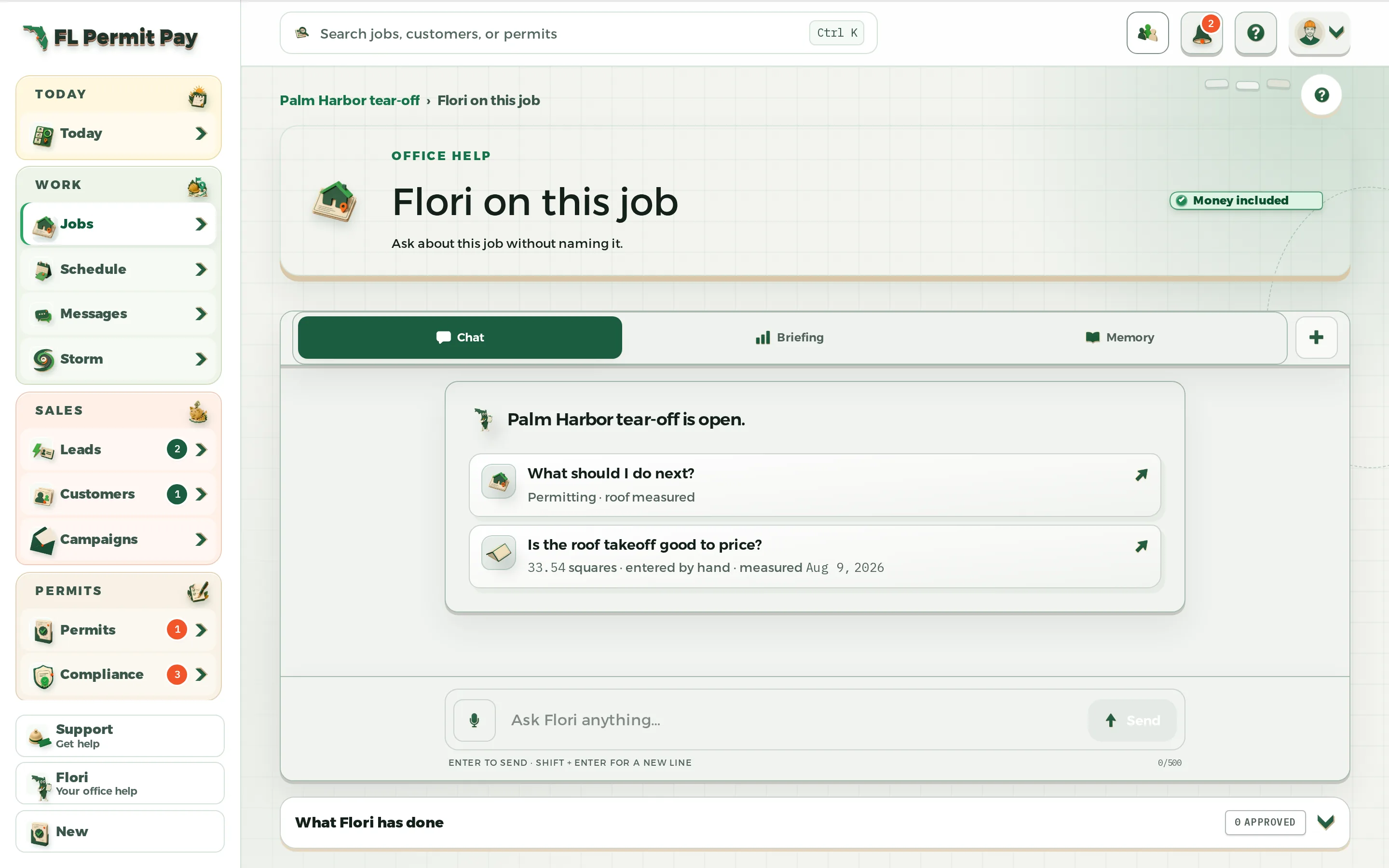
Ask Flori what needs you today. It gives a straight answer and the records behind it.

Workflow automation
Set a rule once and the follow-up happens on its own, with a log of what ran.

Integrations
Bring in the customers, jobs, and price book you have. Get a QuickBooks export ready.

CRM import by column
Read the columns of your old software's export, then change or approve each one on one screen.

Commission ledger
Track what each rep is owed, tied to the work that earned it.

Sales commissions
Set the commission rules once. Follow each one from the sale to the approval.

Commission reports
See what each rep has earned, job by job and period by period.

Commission simulator
Try a commission plan on real past jobs before you commit to it.

Support tickets
Ask us anything in the app. The whole thread is saved, and we email you back too.

Developer APIBy request
Make a key and read your jobs, customers, and bills. Read-only, your company only, and you can kill it.
Try it on a real job for 14 days, with no card.
- Permit & Compliance$149 a month
- Operator$399 a month
The trial is Operator without Permit Hub, with half of Operator's Flori credits and aerial reports. Recording permits, county mail and the review clock start when you pick a plan.
Each price covers the whole company, and nobody pays per person. Compare the plans.