Pricing
 Sign in
Permits, renewals and lien deadlines.
Then get paid faster.

For Florida roofing, HVAC, plumbing and electrical contractors. Permit & Compliance at $149/mo or Operator at $399/mo, for the whole company with unlimited seats. The 14-day trial is Operator without Permit Hub, with half of Operator's Flori credits and aerial reports: no card and no sales call. See every price.
We warn you before a permit, your license or your insurance runs out. If you did not sign with the homeowner, we count your 45 days to send the Notice to Owner. When the work is done, bill it and take card or ACH.

Read it instead
What the voice says
- Still waiting on that permit? Let's track it.
- Pinellas should answer by about November 5.
- It says Issued. The call is still yours.
- Pick Issued, hit confirm, and it's stamped.
- Your liability policy ran out October 1.
- Good until next October 1.
- Omar's day: Dunedin, Seminole, Palm Harbor.
- Best order gets them back to the shop about half an hour sooner.
- The check came in for the full amount.
- Paid in full, with a receipt.
- Permits, crews and payment, in one place. flpermitpay.com
On screen
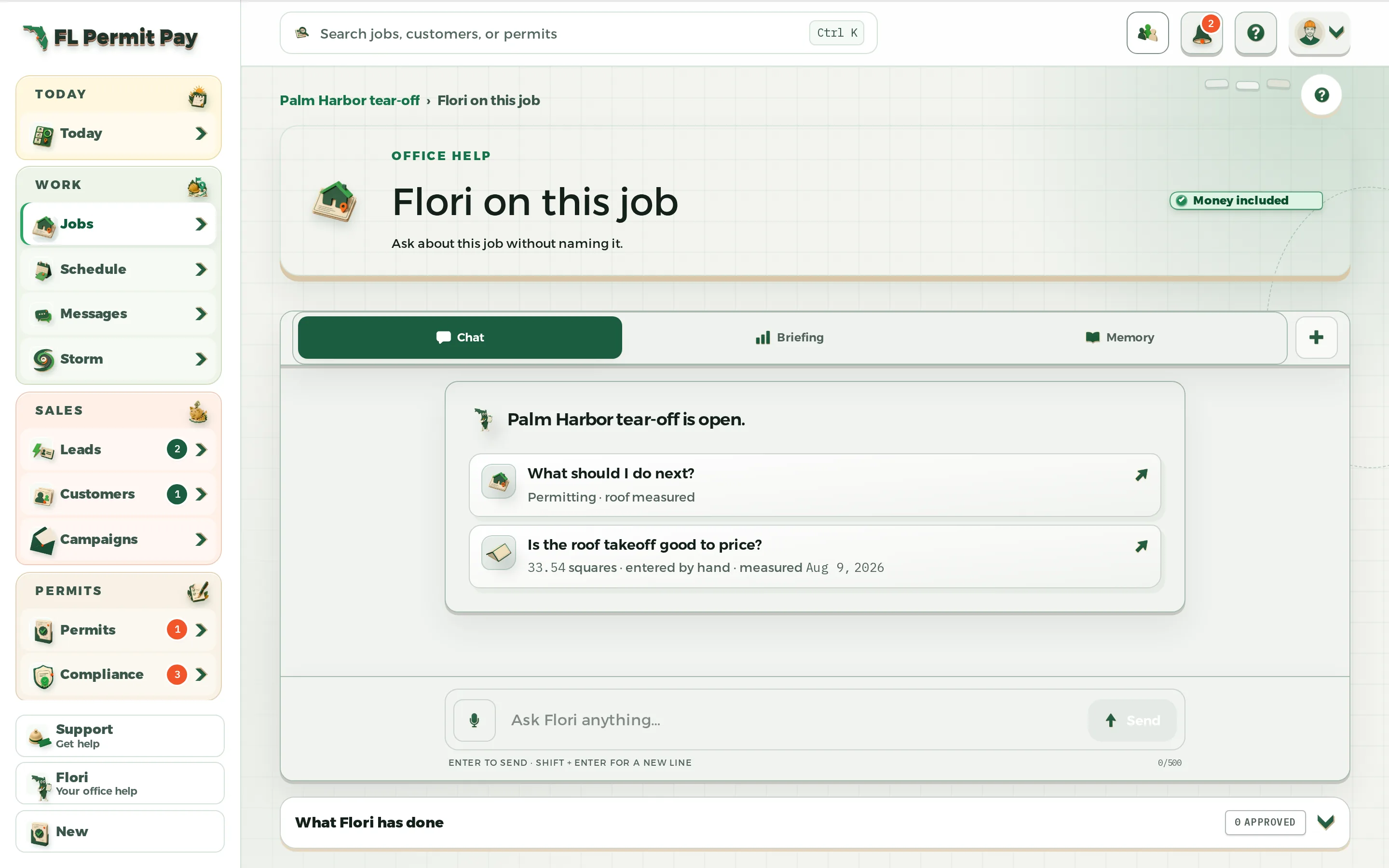
- Still waiting on that permit?
- It counts the county's review days, estimated.
- The county's mail, forwarded by your team.
- Review the message, then confirm the status.
- General liability: lapsed, 6 days past.
- Renewed: 359 days left.
- 3 stops: 1h 50m, about 57 mi.
- 57 mi becomes about 39.
- Record a payment: $18,640.00 still owed.
- Payment recorded. $0.00 still owed.
The last frame: Permits, crews and payment in one place. Visit flpermitpay.com.
44 Florida trades, each with its own words.
Every trade brings its own job words, its own permit hint, and its own starting settings. Pick yours and the product already speaks it.
See every trade Roofing
 Siding
 Windows and doors
 Garage doors
 Gutters and leaf protection
 Stucco and plaster
 Insulation
 Fencing
 Pavers and hardscape
 Concrete and flatwork
 Masonry
 Pools and spas
 Screen enclosures and lanais
 Decks, docks and seawalls
 Irrigation and landscape
 Tree service
 Demolition
 Electrical
 Solar and battery storage
 Low voltage, alarm and AV
 Fire protection
 HVAC Class A
- HVAC Class B
 Mechanical
 Sheet metal and ductwork
 Plumbing
 Gas piping
 Septic and OSTDS
 Wells and water treatment
 Underground utility and excavation
 Drywall
 Flooring and tile
 Painting and coatings
 Cabinets and countertops
 Restoration and mitigation
- Lawn care
 Pest control
- Pool service
- Standby generators
- Backflow testing
 General contracting
 Building
- Residential
 Other / general
Keep Stripe and QuickBooks.
Bring your customers, jobs and price book over from a CSV file. Customers pay by card or ACH through your own Stripe account. Pay applications go out as a QuickBooks file. Price materials from ABC Supply at your own branch’s prices. QXO is in testing; SRS isn’t built yet.
See every integration StripeCard and ACH paymentsSetup required
 QuickBooksPay-app exportIncluded in Operator
 ABC SupplyBranch pricingSetup required
 SRS DistributionMaterials supplierPlanned
 QXOMaterials supplierIn testing
Four Florida rules can cost you the money on a job.
Three are dates we count down on the job, with a warning before each one runs out. The fourth caps what can be held back on a state public job over $200,000, and we flag a pay application that goes over it.
- 713.06flsenate.gov
A sub, sub-sub, or supplier not in contract with the owner serves the Notice to Owner no later than 45 days after first furnishing, and before the owner makes final payment to the GC. Miss it and it is a complete defense to your lien.
Read the guideHow we count the 45 days
Mark a job as one where you did not sign with the owner, and give it a first-furnishing date. Then its lien worksheet carries the 45-day date and counts down to it. Serve before the owner makes final payment to the GC, even if the countdown shows time left. If you signed with the owner yourself, we leave that job alone.
- 489.119flsenate.gov
Your company contracts under the qualifying agent’s license. If your only qualifier leaves, you have 60 days to employ another, and the business may not engage in contracting at all until you do.
Read the guideHow we track the license
The compliance record holds the date the qualifier’s license runs out, and shows the days left. It stamps EXPIRING SOON on that license’s own 90/60/30-day marks.
- 553.792flsenate.gov
Application complete, the county has 30 business days (60 on larger structures). Since July 1, 2026, it has 5 business days for a roofing, electrical, plumbing or mechanical permit on an existing single-family home when the work is under $15,000 and the county’s own plans reviewer does the review. Every late business day cuts the permit fee 10 percent.
HB 803 (2026), floridabuilding.orgRead the guideHow we run the clock
The permit record counts that window in work days from the day you applied, on the review track you pick for the permit, the 5-day one included, and flips it over when the county runs late. It only runs on a permit under review that has an applied date. The late days are kept on the record.
- 255.078flsenate.gov
On state public construction over $200,000, retainage is capped at 5% of each progress payment. The old 10%-until-half-done rule is gone. Check conflicting federal funding rules, FDOT contracts under Ch. 337, and older contracts covered by pre-October 2020 rules. Private work is still whatever your contract says.
Read the guideHow we flag retainage
A pay application on a state public job over $200,000, held above 5%, is flagged with the citation before you send it. It warns and cites; it does not block the job.


Tap any citation to read the 2025 Florida Statutes on flsenate.gov. General information, not legal advice. See all the Florida rules.
Every job keeps one file.
An example re-roof in Clearwater. Tap a record to open it.
Harbor View Re-roof
Clearwater · Nia Brooks
 Clearwater · Nia Brooks
The rest of the work runs on the same job.
Permits, money, campaigns, service routes and the time clock.

The county's clock runs on the job record, where you can see it.
The permit’s end date, the §553.792 review clock, the inspection results, and what the county asked for, all on the job.
See how permits work
Billed, held, approved or paid. You can see which one actually happened.
Bill from the work you logged. Your customer pays the invoice or the proposal online, straight into your own account.
See how money moves
Tell every customer about a new service. No BCC list.
Write one email. Send yourself the test. Then send it to your whole list. We handle opt-outs, bounces and the legal footer.
See how campaigns work
Sell the spray route once. The card on file pays you every cycle.
Sell a plan once: weekly, every two weeks, or monthly. Then the week's stops line up by day, with the money already in your own account. Built for pest control, pools, lawns and docks.
See how routes work
Every clock-in records whether the crew was at the job.
One tap punches in, with the job's own place check. The office sees on-site or off-site next to every entry, before payroll runs.
See how the clock works














What it costs, up front.
Two plans you buy here, and one you ask us about. No sales call to see their price or to start. One price covers the company, so put the whole crew on it.

Permit & Compliance
For small crews running permits and compliance.
Permits, aerial takeoff and lien dates.
$149a monthor $124/mo paid yearly

Operator
For established contractors.
Adds progress billing, certified payroll, texts and the price book.
$399a monthor $332.50/mo paid yearly

Enterprise
For contractors running several companies.
Priced with youThe one plan you ask us about
The 14-day trial is Operator without Permit Hub, with half of Operator's Flori credits and aerial reports. No card.Unlimited seats on every plan.








The first 25 companies lock $299 a month.
Operator costs $299 a month instead of $399. We hold that price for 24 months, as long as your account stays open.* Unlimited seats either way.
* A trial does not hold a spot. The 24 months start with your first paid month.
Claim badge 2
Founding badge #2 up for grabsFounding badge number 2 is available.24 of 25 spots left

Run one real job end to end.
Lead to payment. An email and a password get you in. Pause at any step. Nothing gets charged.