















How one job moves

Sign up, then 6 setup screens: about 6:25 by the app's own estimate. No card. No sales call.

See how it works.
In 46 seconds.

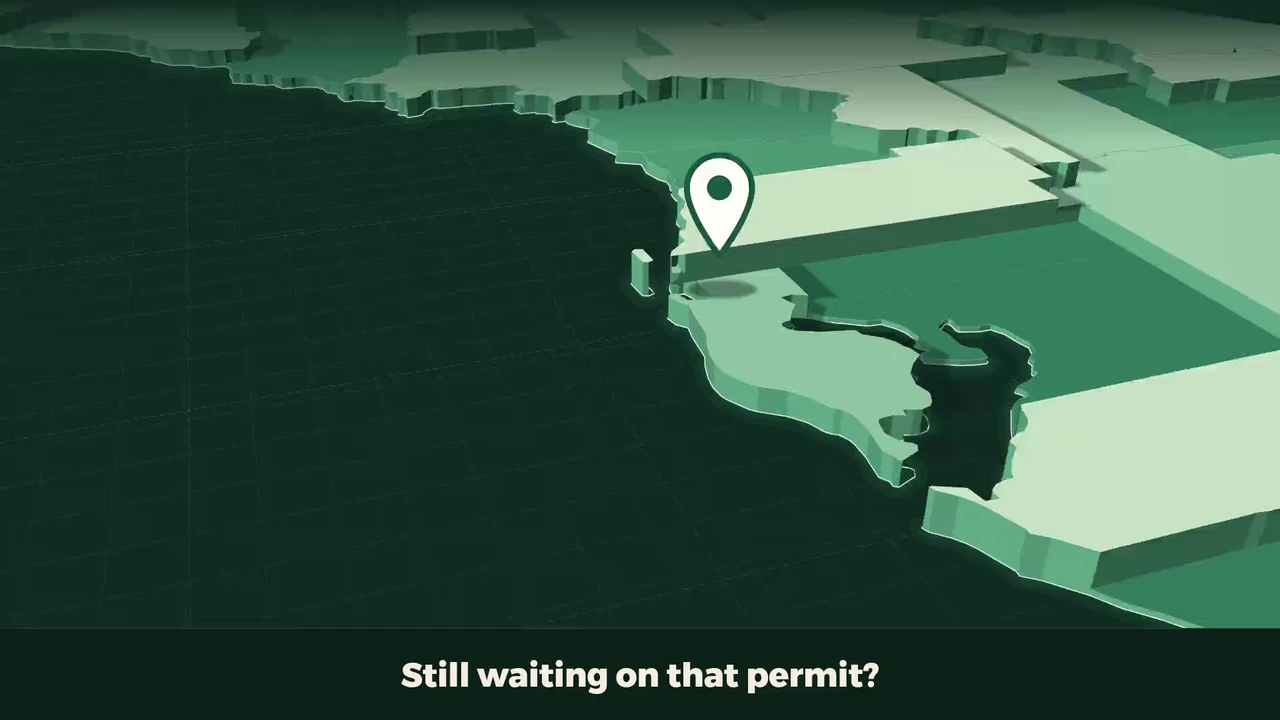
Flori's Florida, a 46-second film. Its first frame: a paper map of Florida's Gulf coast with a pin, under the line: Still waiting on that permit?

Read it instead

What the voice says

  1. Still waiting on that permit? Let's track it.
  2. Pinellas should answer by about November 5.
  3. It says Issued. The call is still yours.
  4. Pick Issued, hit confirm, and it's stamped.
  5. Your liability policy ran out October 1.
  6. Good until next October 1.
  7. Omar's day: Dunedin, Seminole, Palm Harbor.
  8. Best order gets them back to the shop about half an hour sooner.
  9. The check came in for the full amount.
  10. Paid in full, with a receipt.
  11. Permits, crews and payment, in one place. flpermitpay.com

On screen

  1. Still waiting on that permit?
  2. It counts the county's review days, estimated.
  3. The county's mail, forwarded by your team.
  4. Review the message, then confirm the status.
  5. General liability: lapsed, 6 days past.
  6. Renewed: 359 days left.
  7. 3 stops: 1h 50m, about 57 mi.
  8. 57 mi becomes about 39.
  9. Record a payment: $18,640.00 still owed.
  10. Payment recorded. $0.00 still owed.

The last frame: Permits, crews and payment in one place. Visit flpermitpay.com.

Your first ten minutes.

  1. Email and a password

    We send a link to confirm the address is yours.

  2. Name your company

    The 14-day trial starts here: Operator without Permit Hub, no card, and nobody calls you. Permits come with every paid plan.

Then the guided setup: 6 screens6:25 by the app's own estimate
  1. Starts at 0:00
    Your company

    The name, phone and address that go on every proposal, permit form and invoice.

    0:40
  2. Starts at 0:40
    Where you work and what you sell

    Tell us your counties and trades once and every permit check tailors itself.

    1:00
  3. Starts at 1:40
    Your license

    Type your license number and we fill in the rest, including your renewal date.

    0:30
  4. Starts at 2:10
    Your crew and office

    Invite the people who need in, with the right access already set.

    2:00
  5. Starts at 4:10
    Your logo

    Put your logo on proposals and on the form customers fill in.

    0:45
  6. Starts at 4:55
    Your first job

    Put one real job in, and the dashboard and the calendar have something to show.

    1:30

Every screen has Skip for now, and tells you what skipping it leaves undone. After the last one, your first job is on the dashboard and the calendar.

Start the 14-day trial
  1. Know what needs you today.

    Your first task. The next action. One place to start.

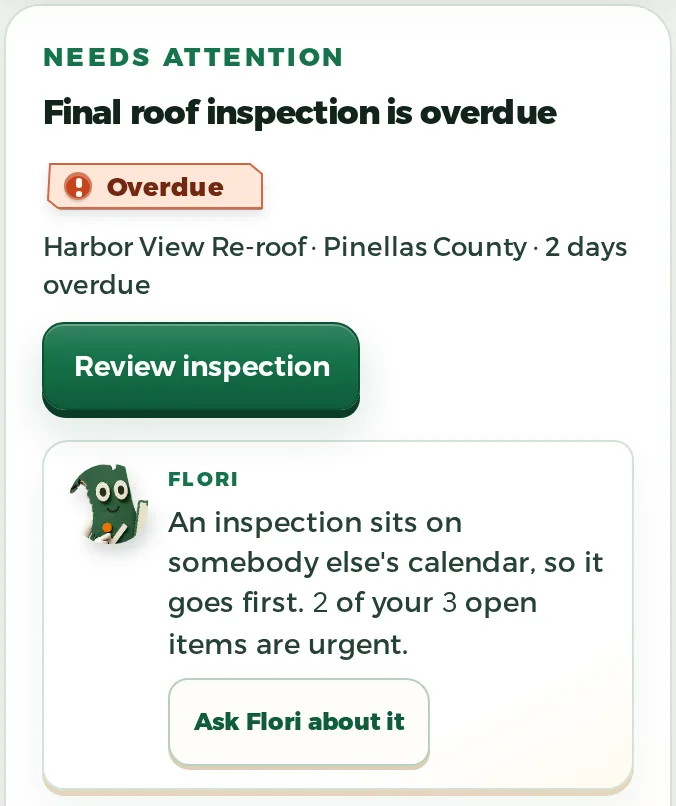
    Flori at work on Today in FL Permit Pay: a final roof inspection two days overdue, marked Overdue with Review inspection, and Flori's note that an inspection sits on somebody else's calendar, so it goes first.
  2. One job. Start to finish.

    Customer. Crew. Permit. Money. Keep the details with the work.

    The job file in FL Permit Pay, under Where this job stands: the customer, the trade, a crew of two, the day the job opened, the contract with what is paid, the balance and the share billed, and that nothing is on the calendar yet.
  3. From quote to signed.

    Send the proposal. Keep the signature with the job.

    The proposals list in FL Permit Pay: each proposal with its customer, when it was opened and how often it was viewed, stamped Viewed or Accepted.
  4. A clearer view for your customer.

    The proposal, project updates and shared paperwork.

    What a customer sees in their FL Permit Pay portal: where the job stands, from Approve through Schedule and Work to Finish, and a new proposal waiting on their review, Sandpiper Cottage Re-roof, with Review proposal.
  5. Keep the conversation on the job.

    Customer email, with the work it belongs to.

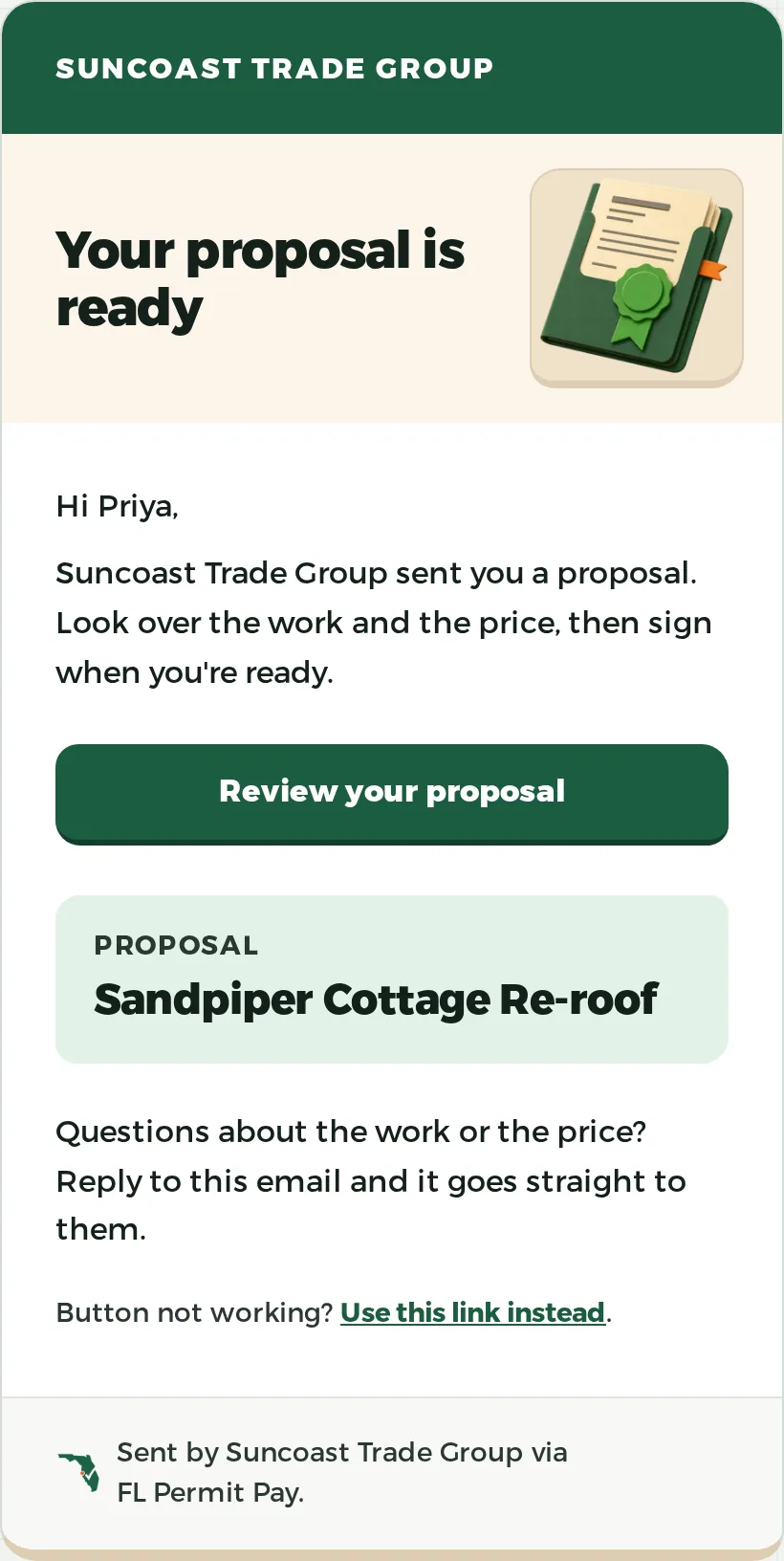
    The proposal-ready email a customer gets from FL Permit Pay: the contractor's name, Suncoast Trade Group, over Your proposal is ready, a note that the proposal is ready to look over and sign, and a Review your proposal button.
  6. Know when to follow up.

    The county review clock. The next permit action.

    The permit review clock in FL Permit Pay: a Pinellas permit at 97 days, past its §553.792 review window and marked late, and the next action on it, BLD-2026-04417, with Open permit and View paperwork.
  7. The paperwork stays with the job.

    Documents, organized around the work.

    Documents shared with a customer in their FL Permit Pay portal: the accepted south slope leak repair, the Sandpiper Cottage Re-roof proposal ready for review and signature, and the recorded Notice of Commencement, each with its date.
  8. Keep the job in view.

    Photos and files, with the job they belong to.

    A job's progress photos as FL Permit Pay shows them in the customer's portal: two captioned photos with their dates, a roofer at dry-in on a shingle slope and a finished roof from above.
  9. Bill for the work you logged.

    Keep the amount, the paperwork and the payment on the job.

    A pay application in FL Permit Pay and what its draw asks for: a current payment due of $10,800.00.
  10. Start with one real job.

    A practical way into FL Permit Pay.

One job, from lead to paid.

Walk it in the demo See every feature

  1. 01A lead comes in

    From your web form, your phone, or the estimator. A job opens for it on its own.

  2. 02You build the proposal

    Priced from your own catalog, off the roof takeoff on the job.

  3. 03The customer signs it

    We email them a code to confirm who they are. Then they sign on their phone.

  4. 04The signature is recorded

    Who signed, when, and from what address. We store a hash of the exact terms they agreed to.

  5. 05The permit sits on the job

    We count the review days the statute gives the county and file what the reviewer sends back.

  6. 06The crew gets the schedule

    They see the day on their phone. Photos upload straight onto the job.

  7. 07You bill the work

    Ask for a deposit. Send a progress invoice. Or raise a pay application off the schedule of values. Retainage held back.

  8. 08They pay online

    Once payments are switched on, the money goes to your own Stripe account. We never hold it.

We also count the dates that cost you money. Your license and insurance renewals, the 45-day Notice to Owner, and the 90-day lien deadline. Serve the Notice to Owner before the owner makes final payment to the GC. Record the lien within 90 days of last work or 90 days after the GC’s contract with the owner is terminated, whichever comes first.

The PermitPay jobs pipeline, with each job's stage, permit and money state on one line.

Everything due today, on one screen.

Tap any line and the job behind it opens.

  • Which permits are due back, and when
  • Who is on which job today
  • What is billed, approved, and collected
See what each plan includes
FL Permit Pay · TodayWednesday, July 29
Next deadline

Permit due back

On track
Municipal review · City of ClearwaterHarbor View Re-roof
Do nextConfirm the county reviewer is assigned.

County reviewerBuilding Intake assignedConfirmed this morning
CrewOmar Vega assignedStart · Aug 5, 7:30 AM
Pay application$38,400 contractPay application not started

The storm hits Tuesday.

By Wednesday you know which of your jobs it crossed.

  • Your open jobs on the track
  • Hail and wind reports where they landed
  • Which roofs still have no photo
See how storm mode works
The FL Permit Pay storm map: a contractor's open jobs marked across the Florida peninsula, reported wind and hail plotted over them with a wash where the reports concentrate, a recorded search area drawn around the worst of it, and a legend counting the jobs and the wind and hail reports under it.
The storm map from the product.

Build one job everyone can follow.