
 Pricing
 Sign in
Bill for the work you logged.
Keep the amount, the paperwork and the payment on the job.



On the Operator plan, $399 a month. Put the whole crew on it. Nobody pays per person.
From earned work to a reviewable collection record.
Review earned work
Pull the schedule of values, the finished work, the stored materials, and the retainage into one pay application.
Fill out the pay application
Do the draw math on our own G702 and G703 style template. It covers the continuation sheet, the retainage, past certificates, and what is left to finish.
Fix a draft, or throw it away
Until it goes out, a pay application is yours to change. Correct the period, the work done and materials stored on each line, or the retainage, and the figures rebuild. Delete a draft you started by mistake. A sent one stays on the record as it went out.
Review it, then mark it sent
Clear any warning about the numbers or where they came from. Check the retainage against your contract and the law. Then stamp the pay application sent, so the record shows the day it went out. A paper plane leaves Flori's hand when you do. The date stays on the record, so nobody has to open it again to check.
Record cleared funds
With online collection on, the pay application is marked paid only after Stripe says the money cleared. Starting a checkout never marks it paid.
Marking one paid is not the same as recording the money
Marking a pay application paid changes that one application. It does not touch the books. The job's Money tab says exactly that: marked paid, no payment recorded yet. Then it offers the one act that settles it, to anyone who can record money. The amount is already in the box and the application is already picked. Record it and the page says it is on the books, and that no money moved just now.
Pick the job, land on its money
Record a payment and New pay application ask one thing first: which job. Search by job, customer or address, with open jobs at the top, and you land on that job's payments or pay applications instead of the whole jobs list.
Read the list without doing the arithmetic
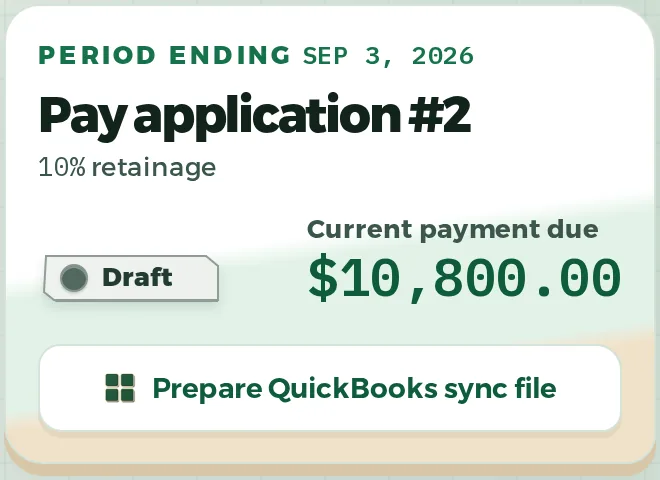
The page opens on one thing to do next. Then the whole list: every pay application, newest first. Each card shows what is due now, and what is held back when any is. The figures add up as you go, and we never total money across draws.
Keep the math and the payment record on the same job.
Prepare a pay application, clear its warnings, and track sent and paid as two different states.