
 Pricing
 Sign in







Keep every renewal in view.



License and insurance.
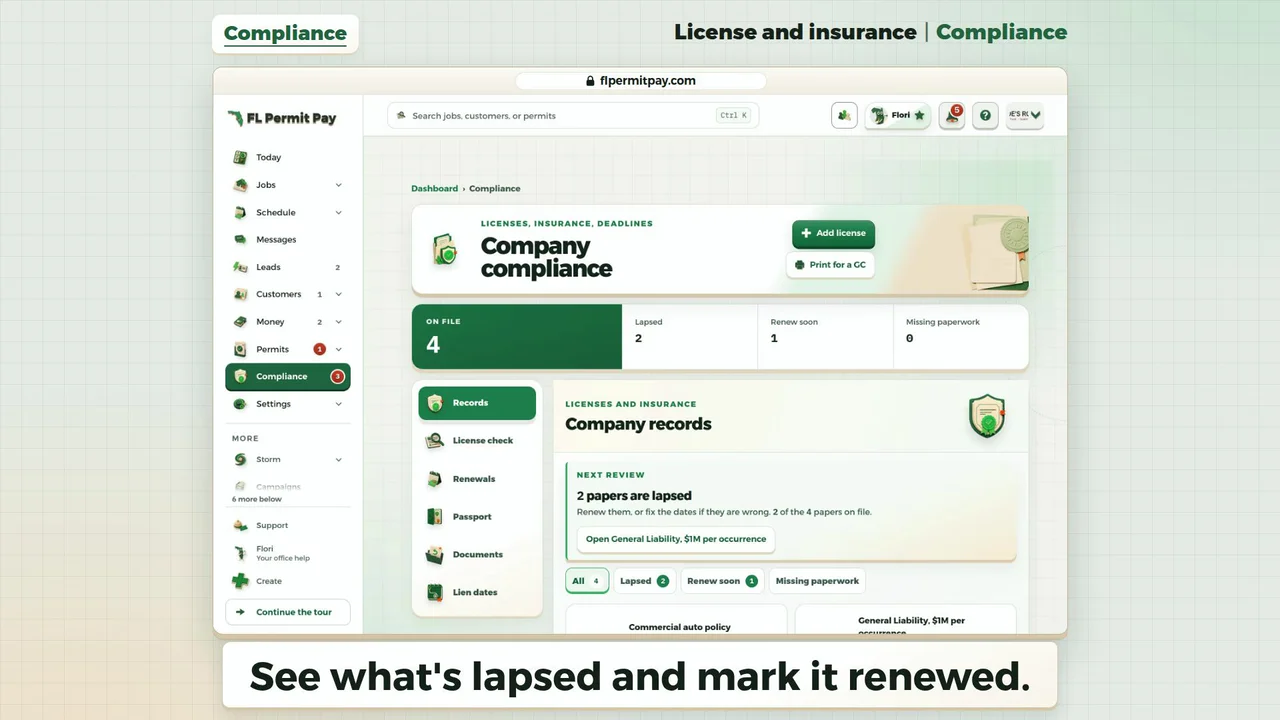
See what's lapsed and mark it renewed.
Read it instead
- See what's lapsed and mark it renewed.
- Two papers are lapsed.
- Click the Renewals tab.
- Each lapsed paper shows its days past.
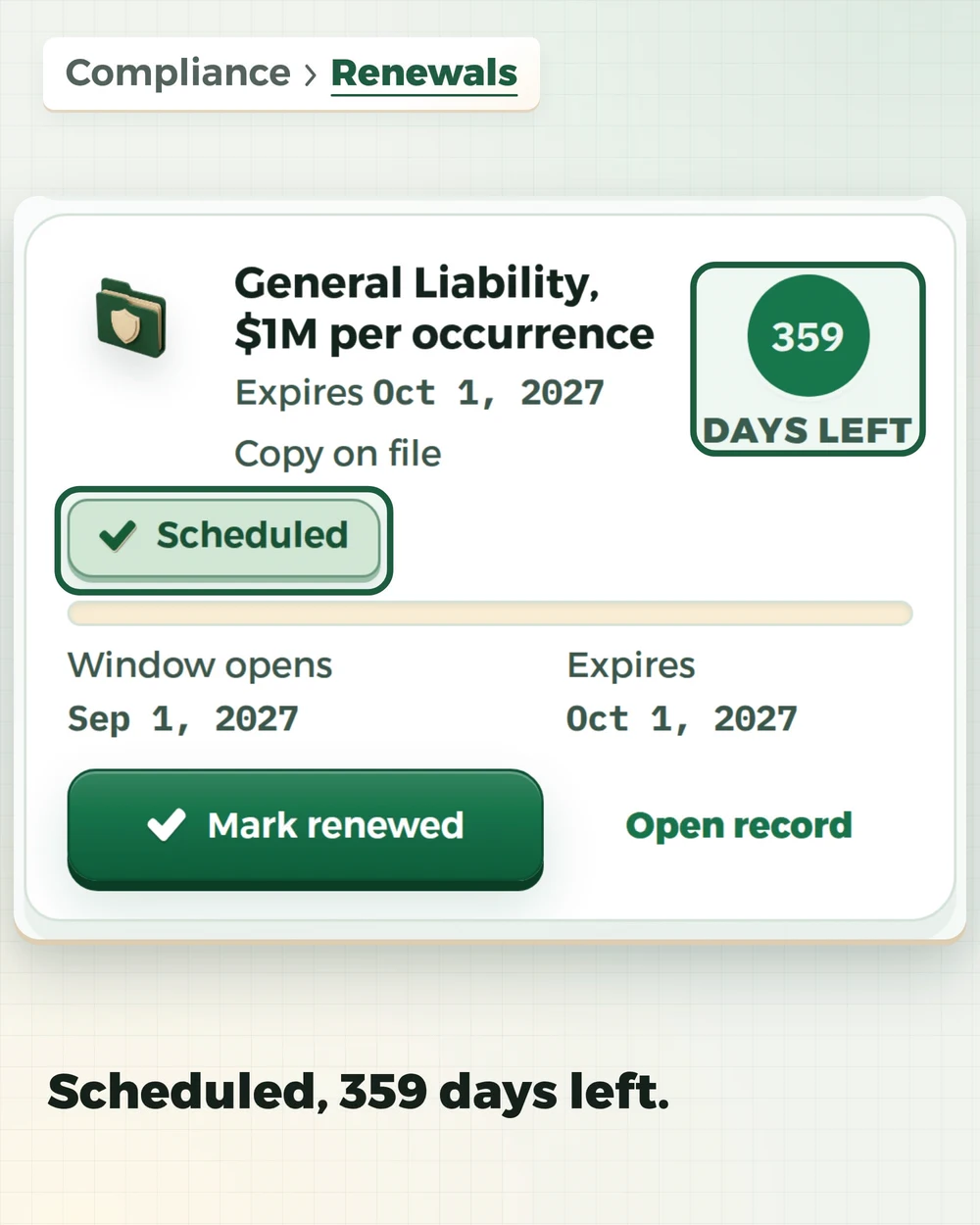
- Click Mark renewed on General Liability.
- Type the new expiry date.
- Click Save renewal.
- Now 359 days left: expires Oct 1, 2027.
- Click Mark renewed on the auto policy.
- Its slip holds the new date: click Save renewal.
- The auto policy reads 358 days left.
- Lapsed is back to zero.
- Workers' Compensation is next: 29 days left.
- It reads Renew soon before the date passes.
The last frame: License and insurance | Compliance. Next: Get paid | Money. flpermitpay.com.

Your private list
Licenses, insurance and bonds
1 expiring soonFrom the date you entered
1 activeNot due yet
1 without expiryStill listed
What renews next
- 01State contractor licenseLicense + qualificationsRenews in 42 days90 / 60 / 30Entered recordExpiring soon
- 02General liability COIGeneral liabilityRenews in 118 days30 / 14 / 7Document notedActive
- 03License bondBondsNo expiry recorded30 / 14 / 7Entered recordNo expiry
The list watches the dates. You own the renewal.
- 01
Say what you are adding
Pick your license, insurance or bond. Answer two or three questions. The long form is still there.
- 02
A license fills in its own details
Type your license number and we fill in the rest from the state's own list. Our copy of that list is not complete, so a number it misses is still tracked.
- 03
Choose the reminder windows
Use the 90/60/30 defaults or set your own windows per credential.
- 04
See what is due first
The date you typed sets the order and what looks urgent. We read it on the Florida calendar day.
- 05
One reminder email, not ten
Turn reminders on and put a company email on file. Then this one rides in a shared reminder email instead of sending its own.


Built for the paperwork a Florida trade has to keep.
Licenses + qualifications
State licenses go here, certified or registered. So do electrical cards, qualifier links, and CE records.

Insurance records
General liability and workers comp. The windows start out tighter here, because a COI runs out sooner.
Bond records
The list keeps three kinds of bond apart. One for financial responsibility, one for a license or a permit, and one for a job.
Put the next renewal where the team can see it.
Enter your license, insurance, and bond dates once. Then let the reminders do the watching.