
 Pricing
 Sign in







The dates you cannot afford to miss, on one calendar.



The crew's day.
Put the day in driving order and send it to the truck.
Read it instead
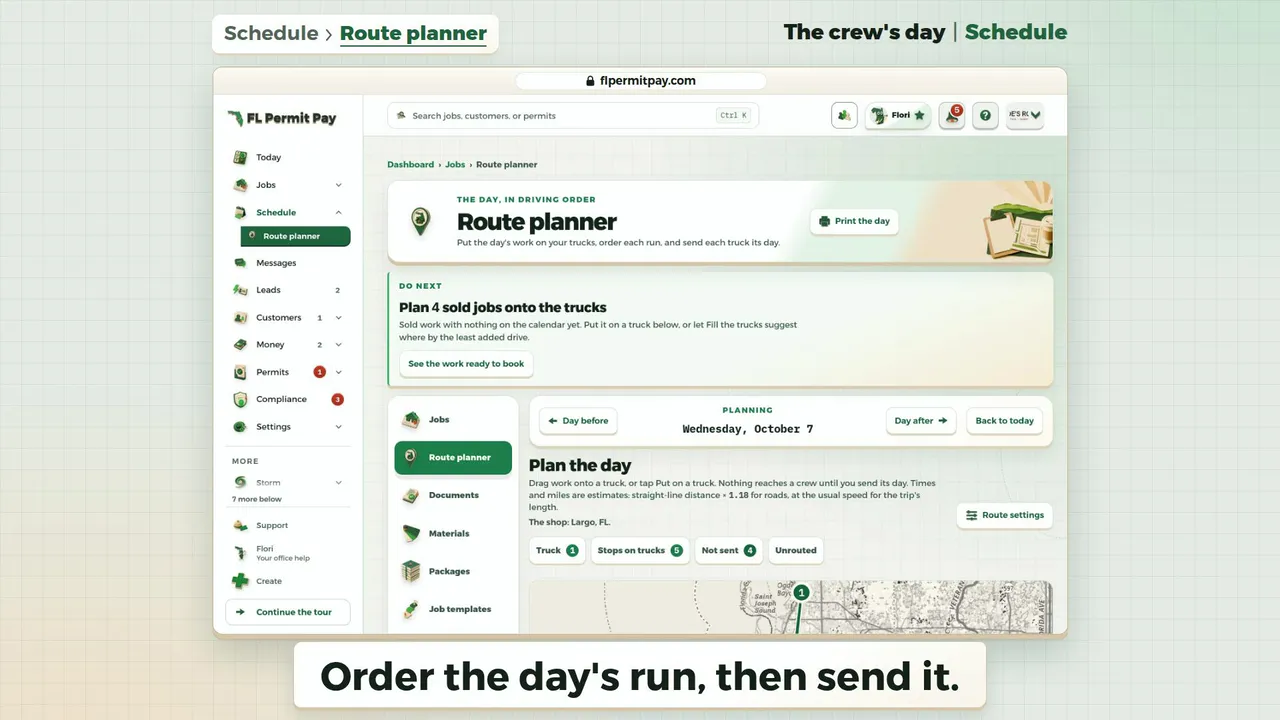
- Order the day's run, then send it.
- Five booked visits are already on Omar Vega's truck.
- As placed, the day runs 35m past 5:30 PM.
- Click Best order.
- Now back at the shop about 5:20 PM.
- Driving drops from 2h 30m to 1h 45m.
- About 76 mi becomes about 42.
- The map shows the stops in driving order.
- Lunch and each drive are worked into the day.
- Nothing reaches the crew until you send it.
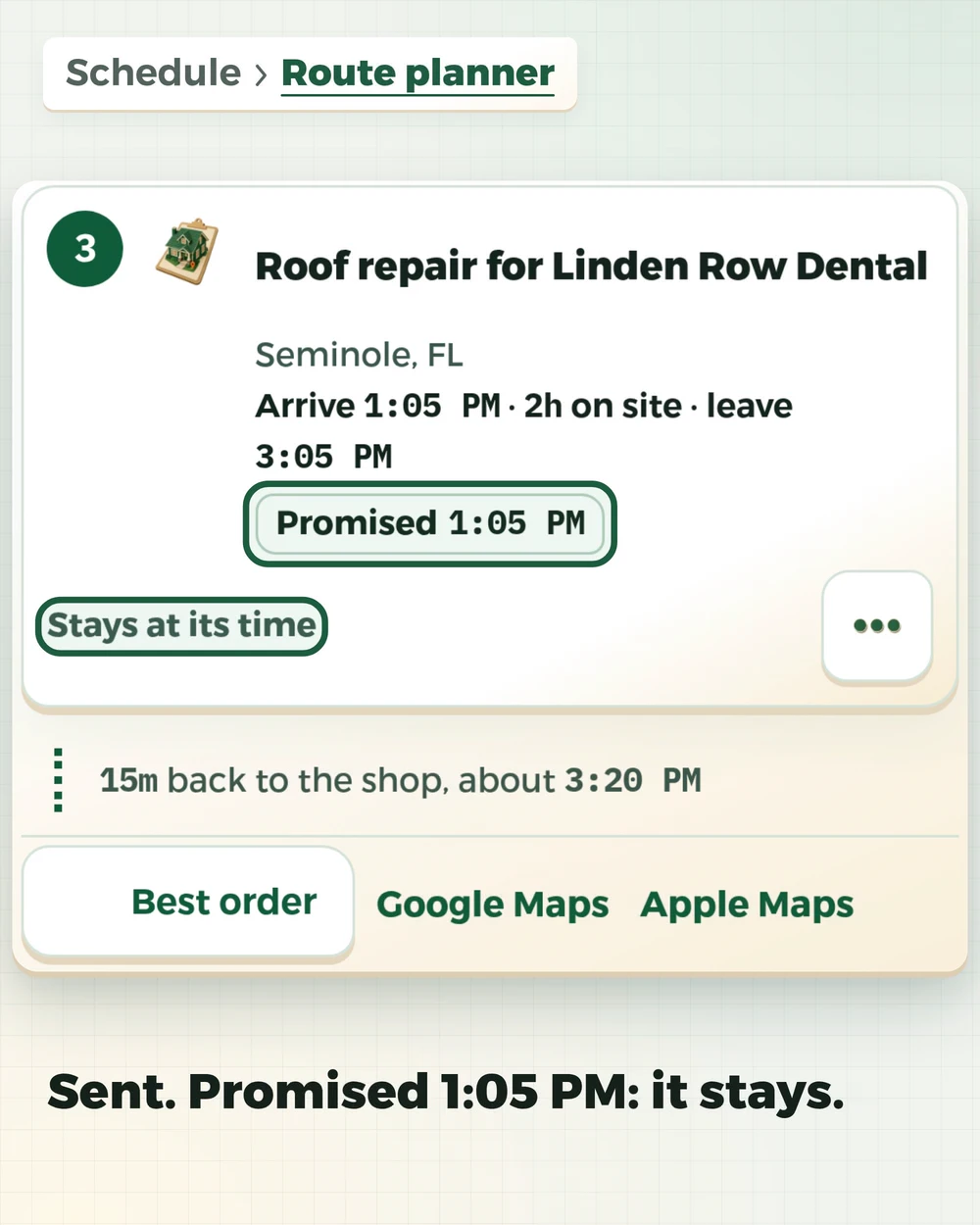
- Click Send to Omar Vega.
- Each stop now reads Promised, with its time.
- Each sent stop now stays at its time.
The last frame: The crew's day | Schedule. Next: Create a job | Jobs. flpermitpay.com.
Everything that feeds it, one view
Permit expirationsThe dates that decide whether work can legally continue. Renewal windowsLicense and insurance credentials, before the lapse and not after. Scheduled workJob events your crews and office already put on the record, with a name on them. Today's stops, in orderEach stop in sequence, with the distance to the next, so the office sees where a day doubles back. The route plannerA full-page board for planning the day: the sold work with nothing scheduled and the visits booked with no truck sit beside a lane for each truck. Drag work onto a truck or tap Put on a truck, reorder with a drag or the arrows, or let the board suggest a shorter order and share the work out over the trucks by estimated drive, holding a booked stop's promised time while Keep promised times is on. Each truck shows when it leaves, arrives, works and gets back, with lunch and a drive buffer from your route settings, and says in words when it runs late for a promised time or past your finish time. Each truck's Send to button books its new stops at the times shown and, when it books new stops, emails that crew member their route; their phone follows. One truck's own page still prints the day and moves stops with two taps.


One calendar, because a missed date is a missed date.
Permits, inspections and renewals
Expirations and inspection dates sit next to the job they belong to. License reminders default to 90, 60 and 30 days out and insurance to 30, 14 and 7, editable per credential.
Job events, with a name on them
Scheduled work and completions from the job record, so the office and the field see one schedule. An event can name someone on your roster; assigning crew needs roster access.
The sold work nobody scheduled
Signed jobs with no calendar event and no work order sit under the month view. The biggest contract value comes first, so the biggest unscheduled dollar is the first thing the office sees.
Today's stops and the same-day check
Stops list in booked order with the straight-line distance between them, and a stop with a set time is never reordered. Pick a person and a time and the new-event panel shows what else names them that day, how many minutes overlap, and how far they are coming from, before you save.
Every date that matters, on one calendar you can read on a roof.
Visits, inspections and crew starts with their job attached, and renewal dates beside them.
Deadline tracking only. FL Permit Pay does not give legal advice about a deadline.