
 Pricing
 Sign in




Every dollar, and who touched it.


Get paid.
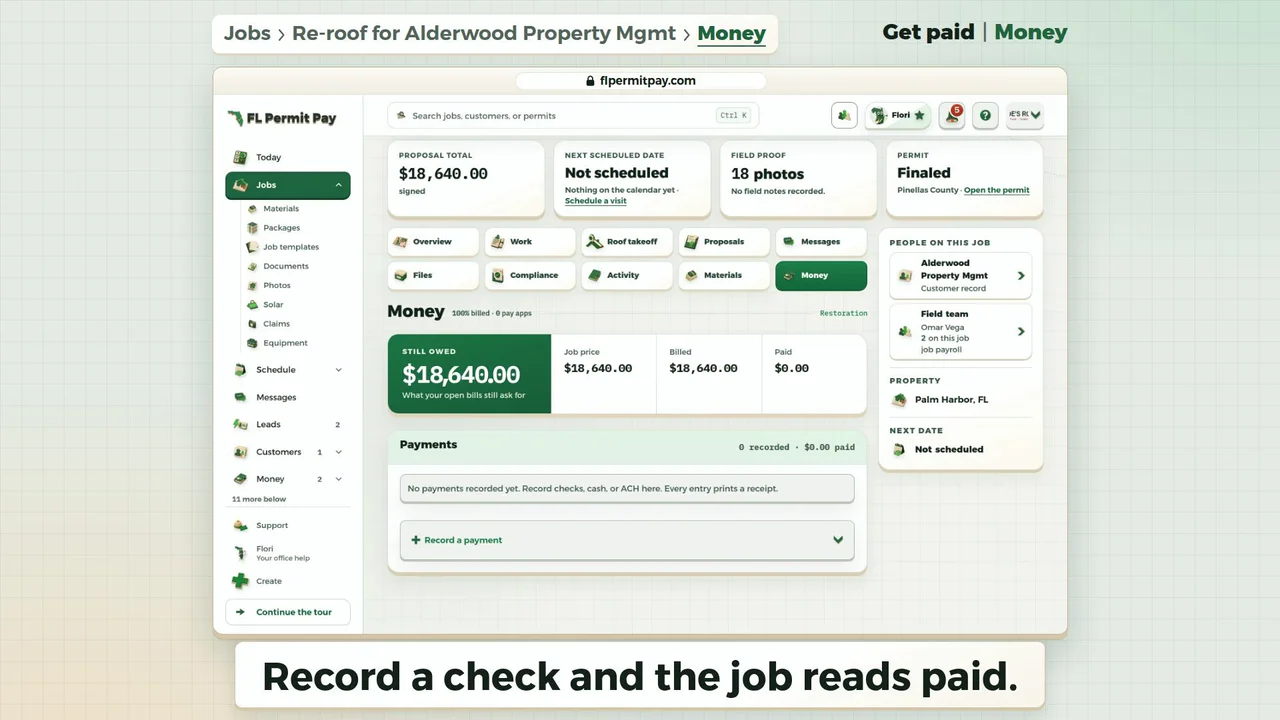
Record the check on the job, and it's paid.
Read it instead
- Record a check and the job reads paid.
- Still owed reads $18,640.00.
- Click Record a payment.
- The open invoice fills in the amount.
- The reference holds the check's number.
- It closes the invoice paid in full.
- Click Record $18,640.00.
- Payment recorded: no money moved just now.
- Click Keep going.
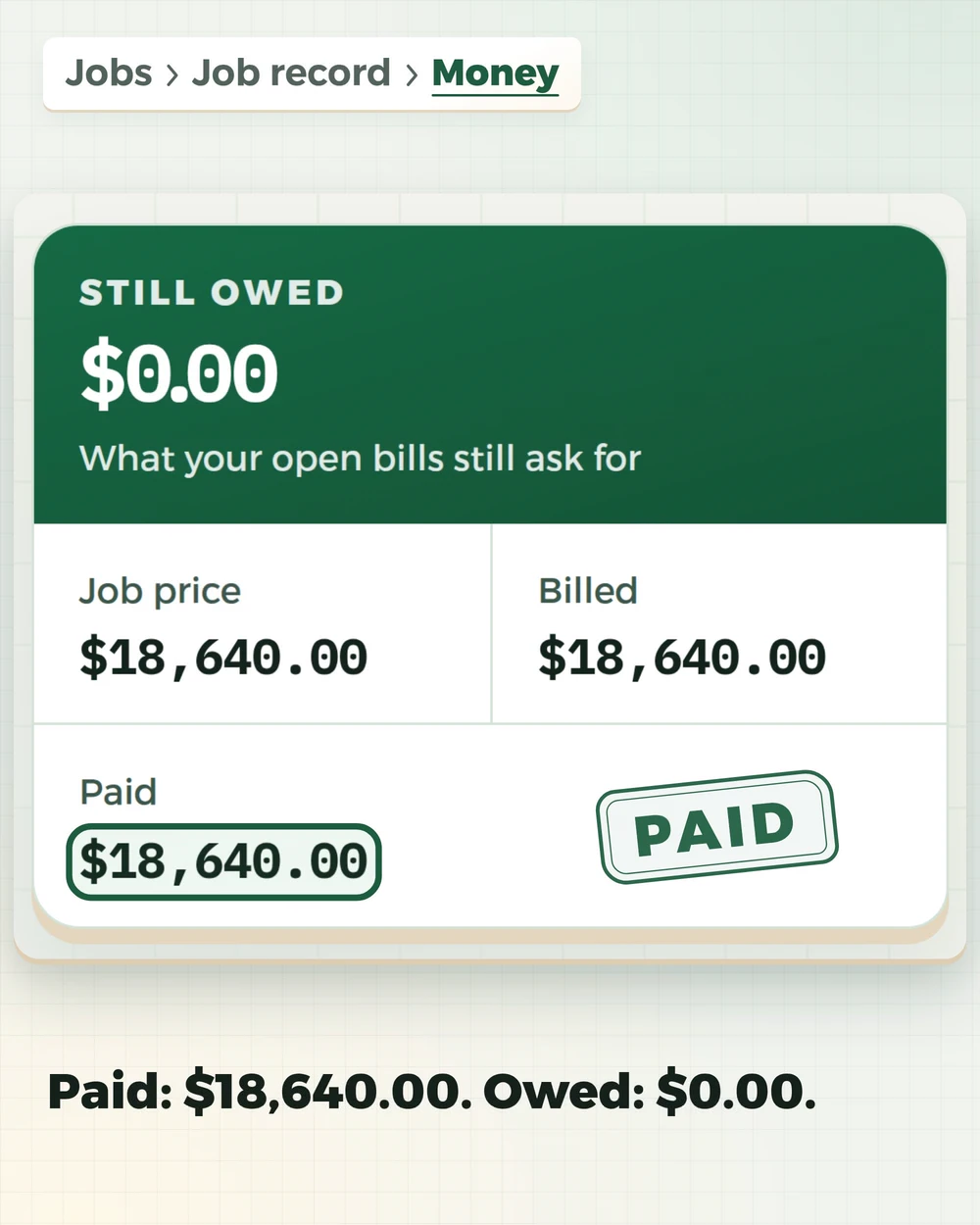
- Still owed reads $0.00.
- Paid reads $18,640.00.
- The check is on the job: Check #4518.
The last frame: Record your next check the same way. Next: The crew's day | Schedule. flpermitpay.com.
Owed, received, returned, traced
UncollectedEvery draw and invoice sent and not yet paid, oldest first, with the customer, the job, how long ago it was billed and how many days late it is. Four totals sort it by age: 0-30, 31-60, 61-90 and over 90 days. ReceivedWhat came in, how it arrived, and against which job. A payment recorded on a job shows up here without being typed twice. Refunds and discountsMoney that went back out, each one carrying the reason somebody chose, recorded on the refund itself. Audit trailWho did it, when, and to which record. Every refund and discount on the desk is traceable to a person.

What the desk does.
What is owed, what came in and what went back out, on one screen, with the trail behind each line.
One thing to do next
A line under the heading names the next thing to do, and its button opens it. When nothing is owed and nothing needs fixing, it says so.
Who owes you, by age
Unpaid draws and invoices are grouped by how long ago they were billed, and each one says how many days late it is. The same list downloads from the desk as a spreadsheet for your bookkeeper, with cash and discounts in their own columns.
Pick the job, then record it
Record a payment asks one thing first: which job. Then that job's payment form opens over the desk, and you type the amount and save it. New pay application asks the same and opens the draw form over the pay applications list.
Where card payments land
Available, pending and disputes come from your own Stripe payout account. Until you connect one, the desk says so, because no card payment can land without it. FL Permit Pay never holds the money.
Refunds need two-step sign-in
Anyone with money access can read the desk. Issuing a refund, giving a discount or changing where payouts go needs that person to turn on two-step verification first. Each refund and discount carries a reason picked from a list.
It links to everything else
Schedules of values, change orders and recording a check live on the job. Approvals live on Commissions, and hours in Payroll. The desk names each one and links to it.
Know who owes you before the next job starts.
Who owes you, what came in, and what went back out, on one desk with the trail behind each line.
Money access follows the role you give each person.