
 Sign in








Upload a document
4 steps, in the order you do them.
Follow it on screen.
- 1
Open Upload document
Anything filed against a job is findable from that job at inspection time.
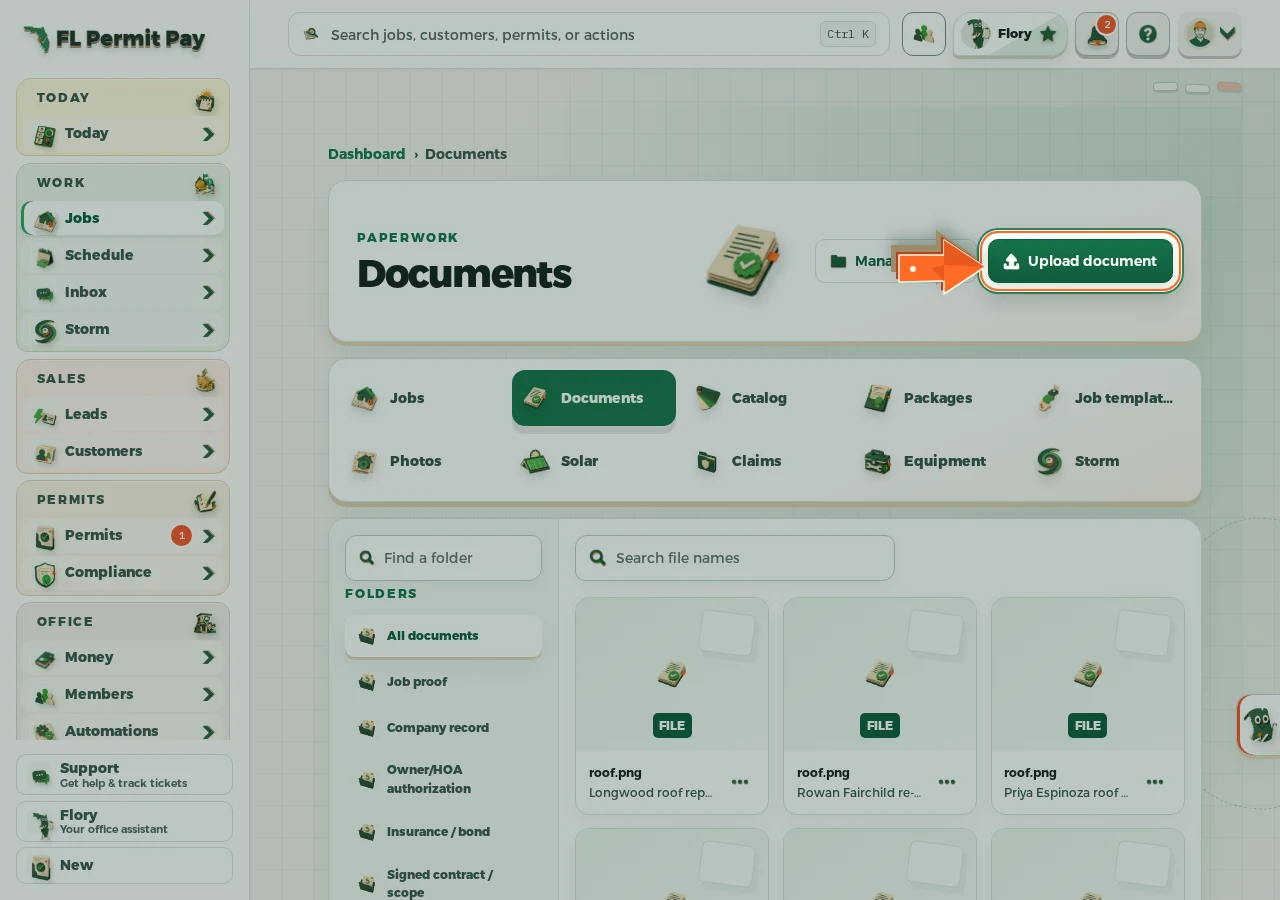
The real screen - the arrow marks the control. Tap to see it full size. - 2
Choose the file
A PDF or a photo, up to 10 MB.
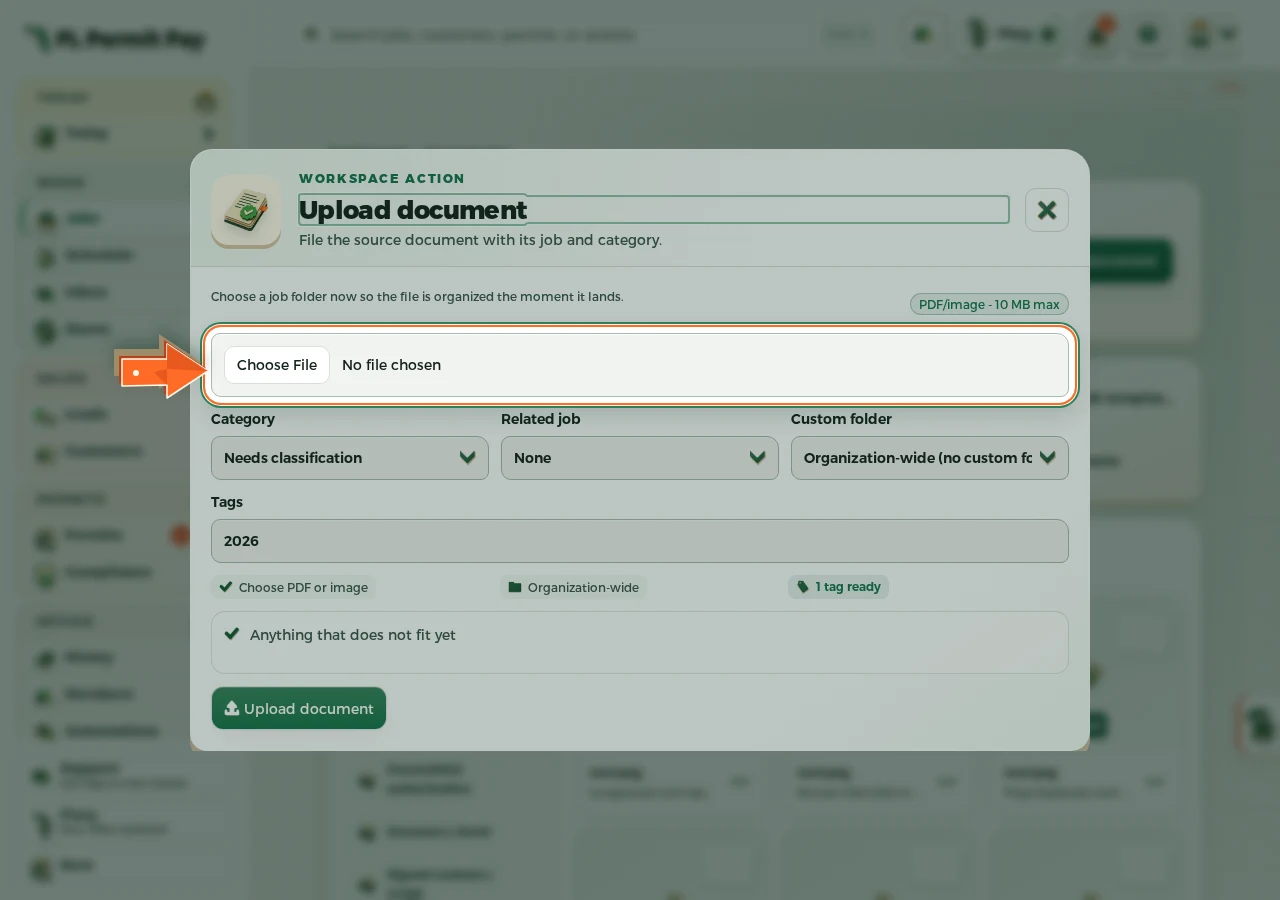
The real screen - the arrow marks the control. Tap to see it full size. - 3
File it to the job
Filed to a job, you can find it again from that job.
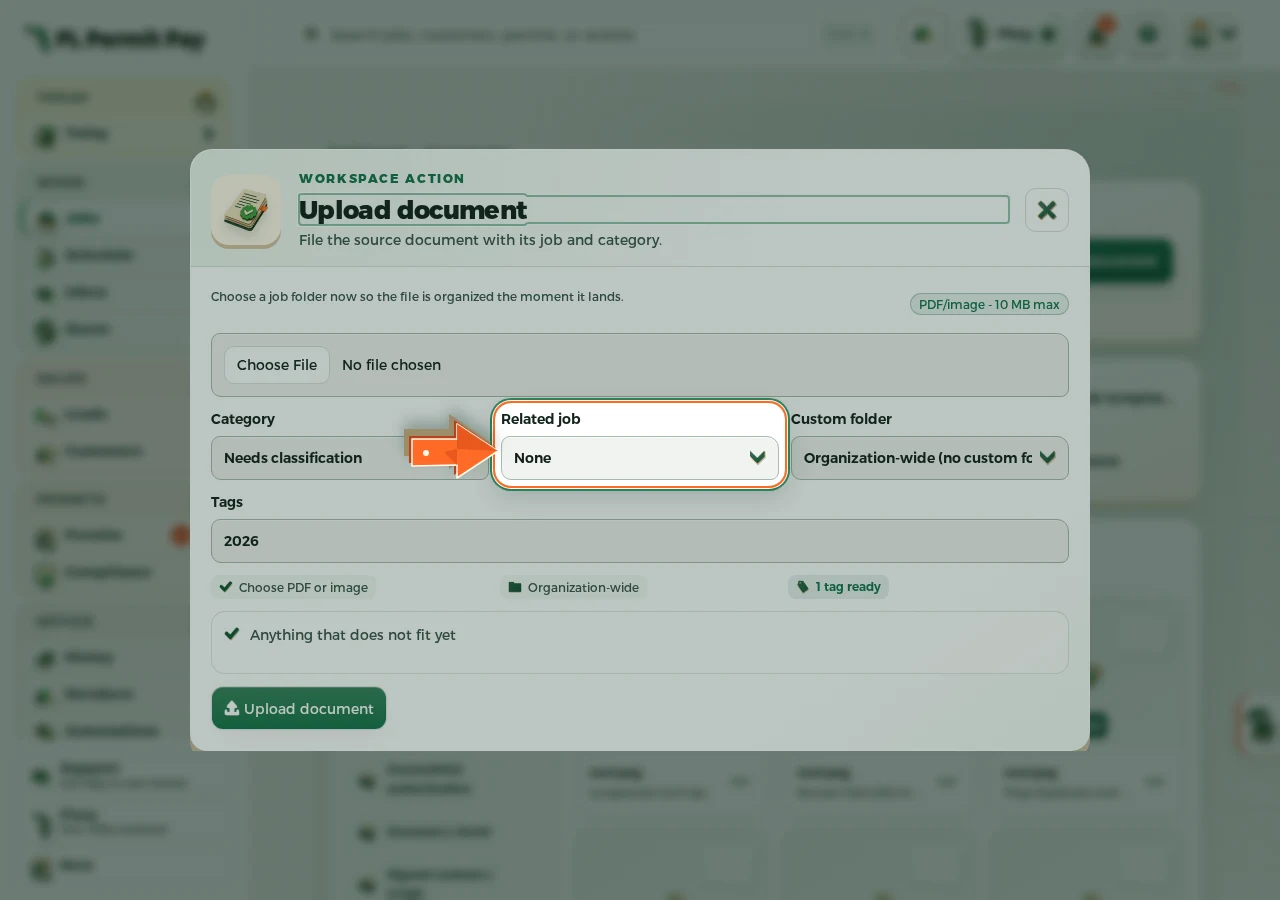
The real screen - the arrow marks the control. Tap to see it full size. - 4
Upload it
The file lands in the folder you picked.
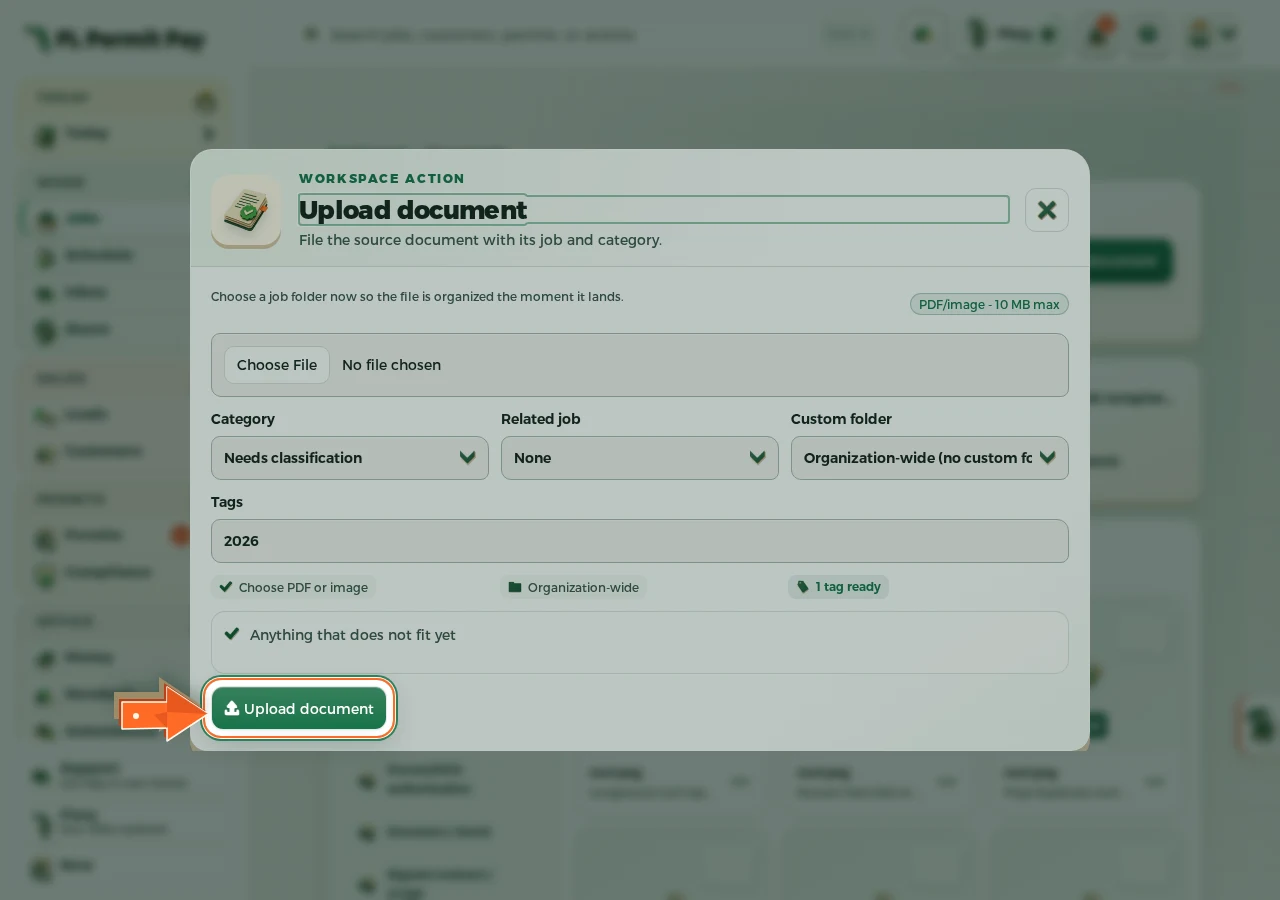
The real screen - the arrow marks the control. Tap to see it full size.
