
 Sign in







Set how a teammate is paid
3 steps, in the order you do them.

Follow it on screen.
- 1
Open their pay setup
On Members, open the person on the roster, then open Details.
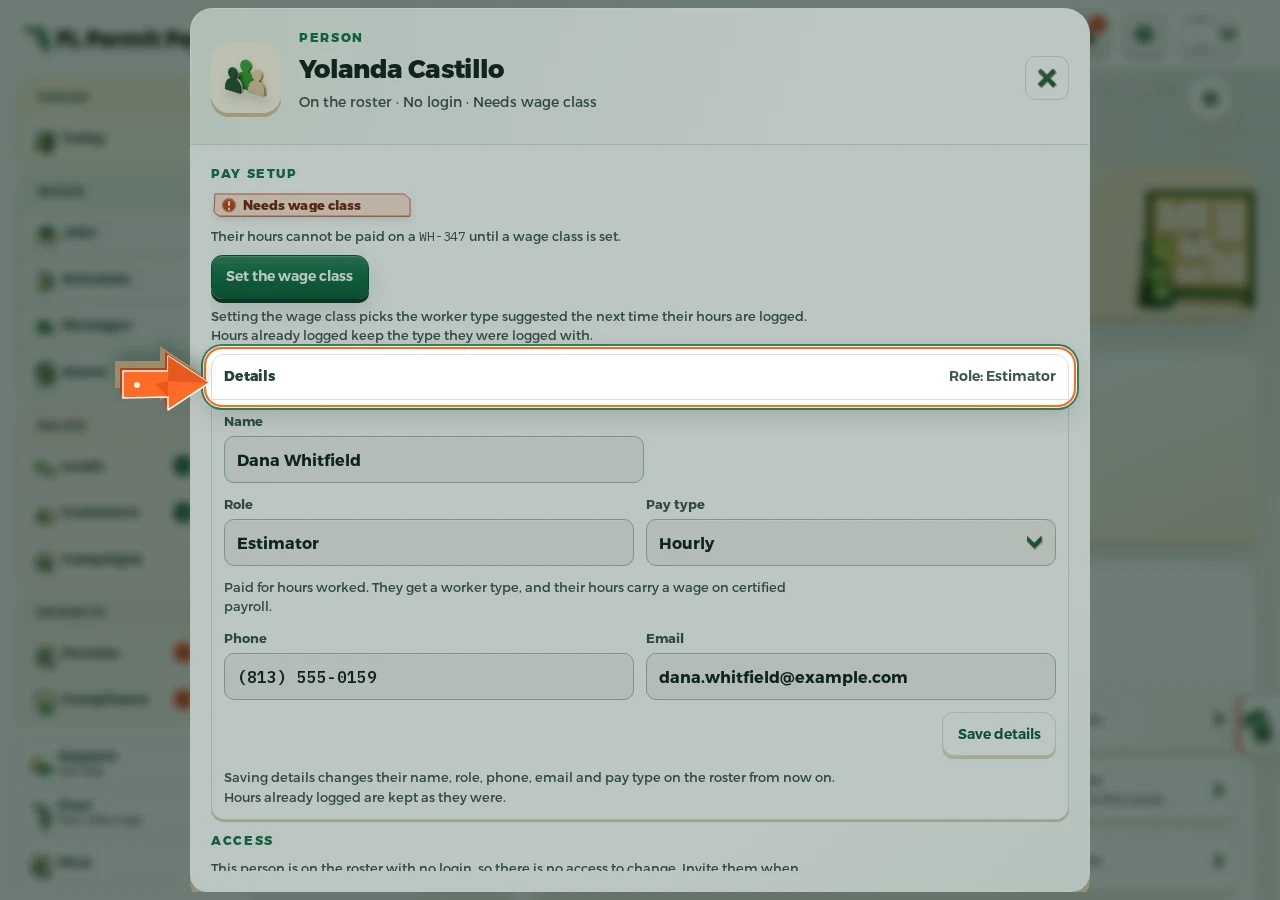
The real screen - the arrow marks the control. Tap to see it full size. - 2
Choose how they are paid
Hourly, commission only, or both. The line under the control says what each one means.
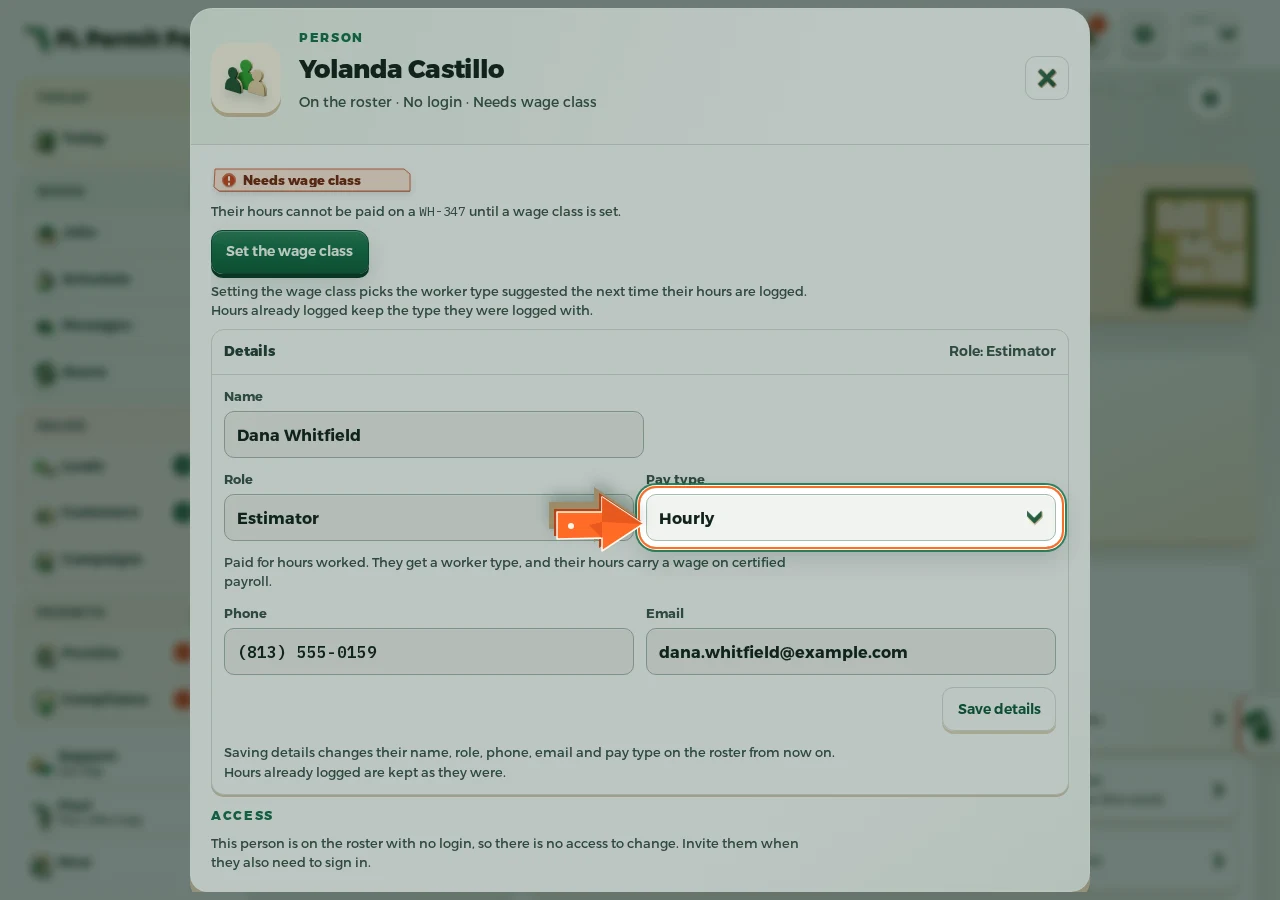
The real screen - the arrow marks the control. Tap to see it full size. - 3
Save the pay setup
Hours and commission now land in the right place. The rates themselves live in Commissions.
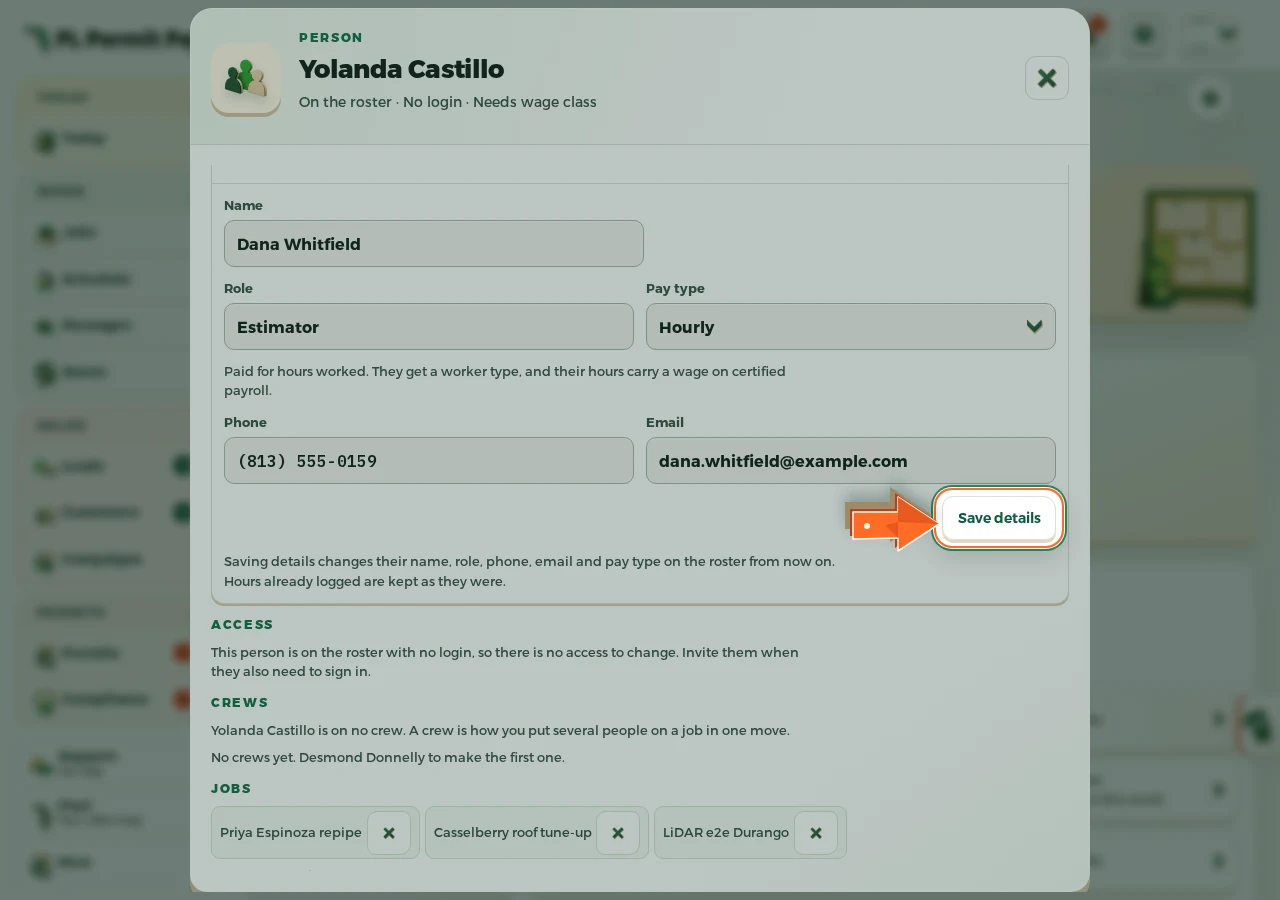
The real screen - the arrow marks the control. Tap to see it full size.
