
 Sign in








Send a proposal
4 steps, in the order you do them.

Follow it on screen.
- 1
Open New proposal
Build the options the customer will choose between.
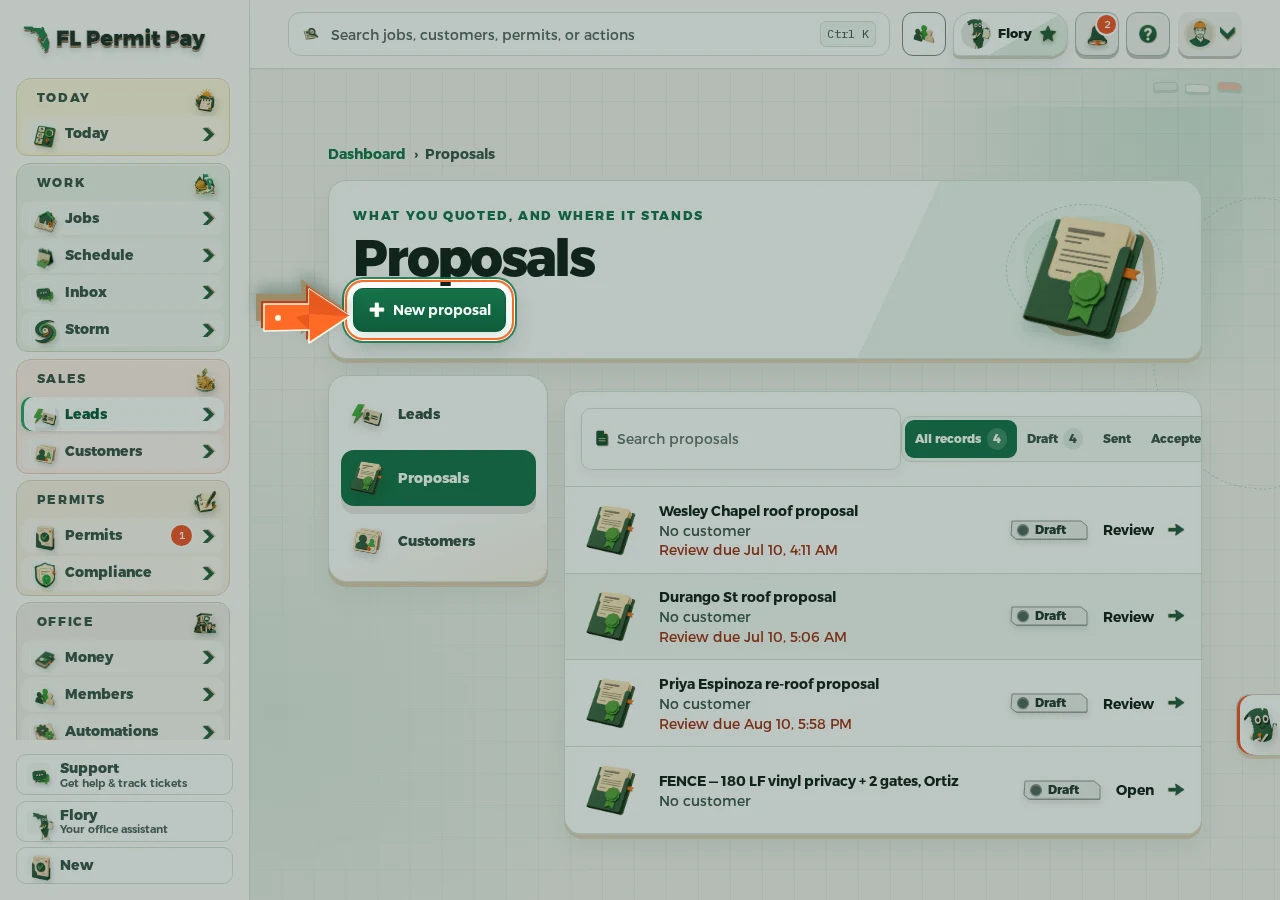
The real screen - the arrow marks the control. Tap to see it full size. - 2
Pick the customer
The name you pick fills the proposal title for you.
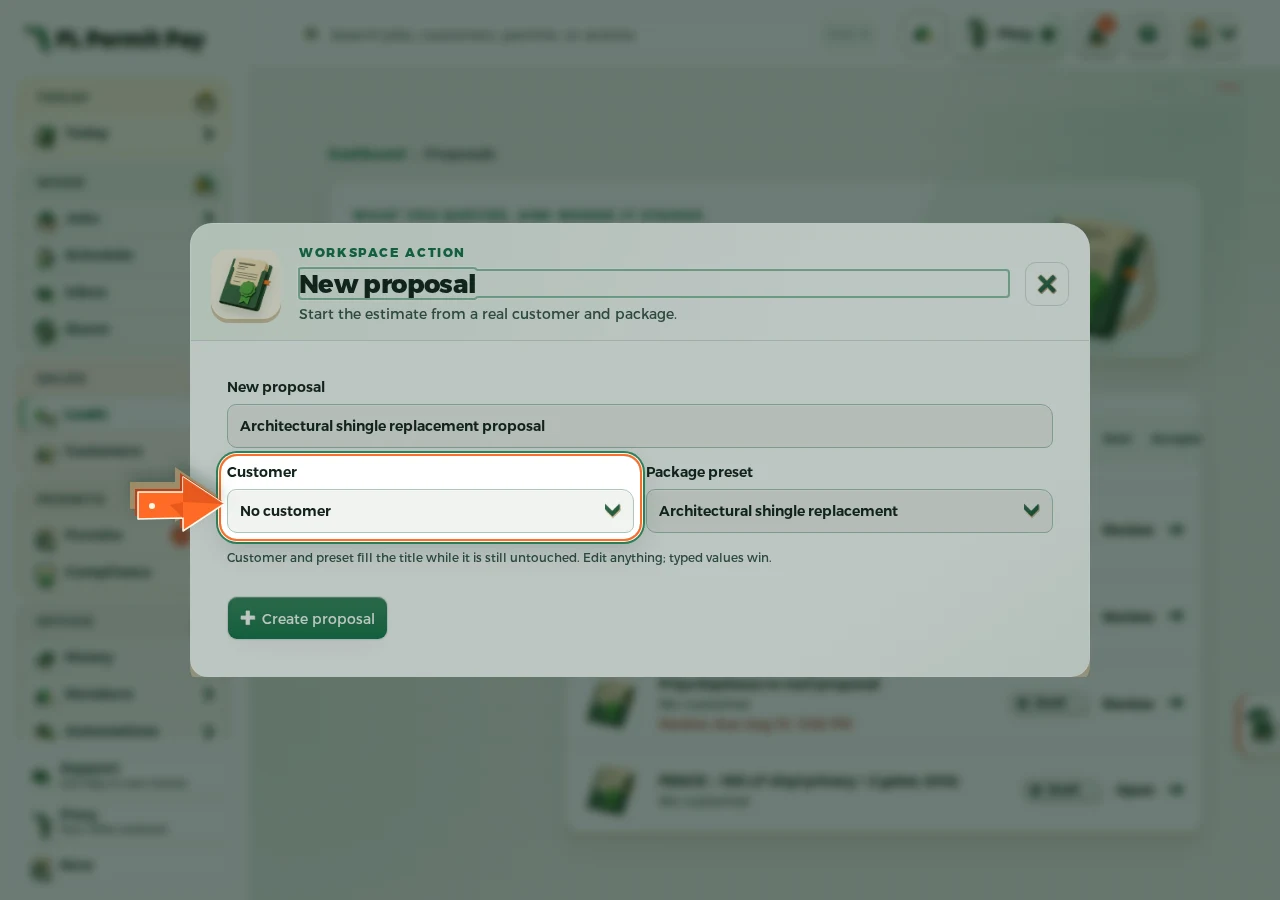
The real screen - the arrow marks the control. Tap to see it full size. - 3
Choose the package
The preset fills the scope, warranty and payment terms.
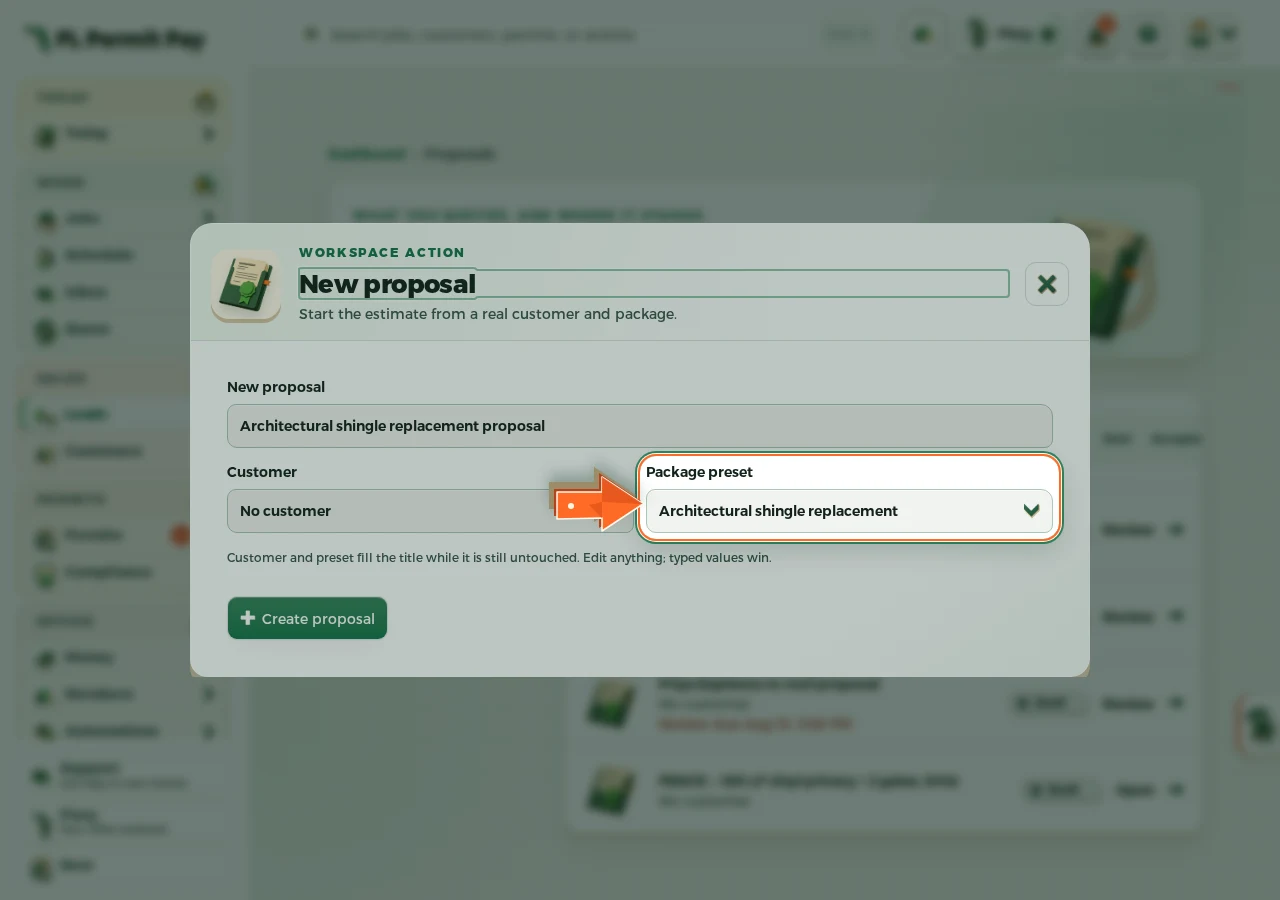
The real screen - the arrow marks the control. Tap to see it full size. - 4
Create the proposal
It opens as a draft you price first and send from the proposal itself.
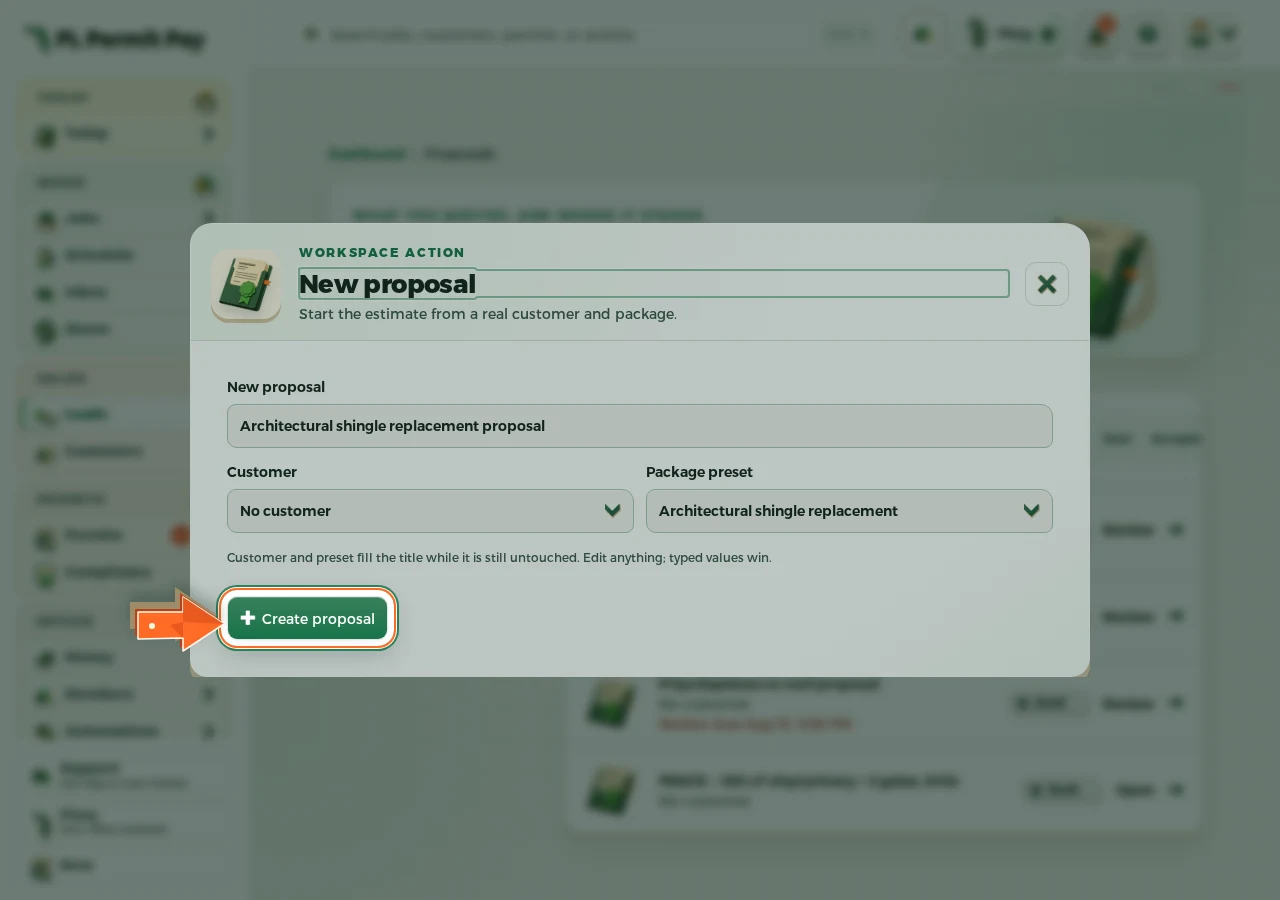
The real screen - the arrow marks the control. Tap to see it full size.
