
 Sign in








Raise a pay application
2 steps, in the order you do them.
Follow it on screen.
- 1
Open New pay application
A draw is raised against the job it bills for, then lands in this ledger.
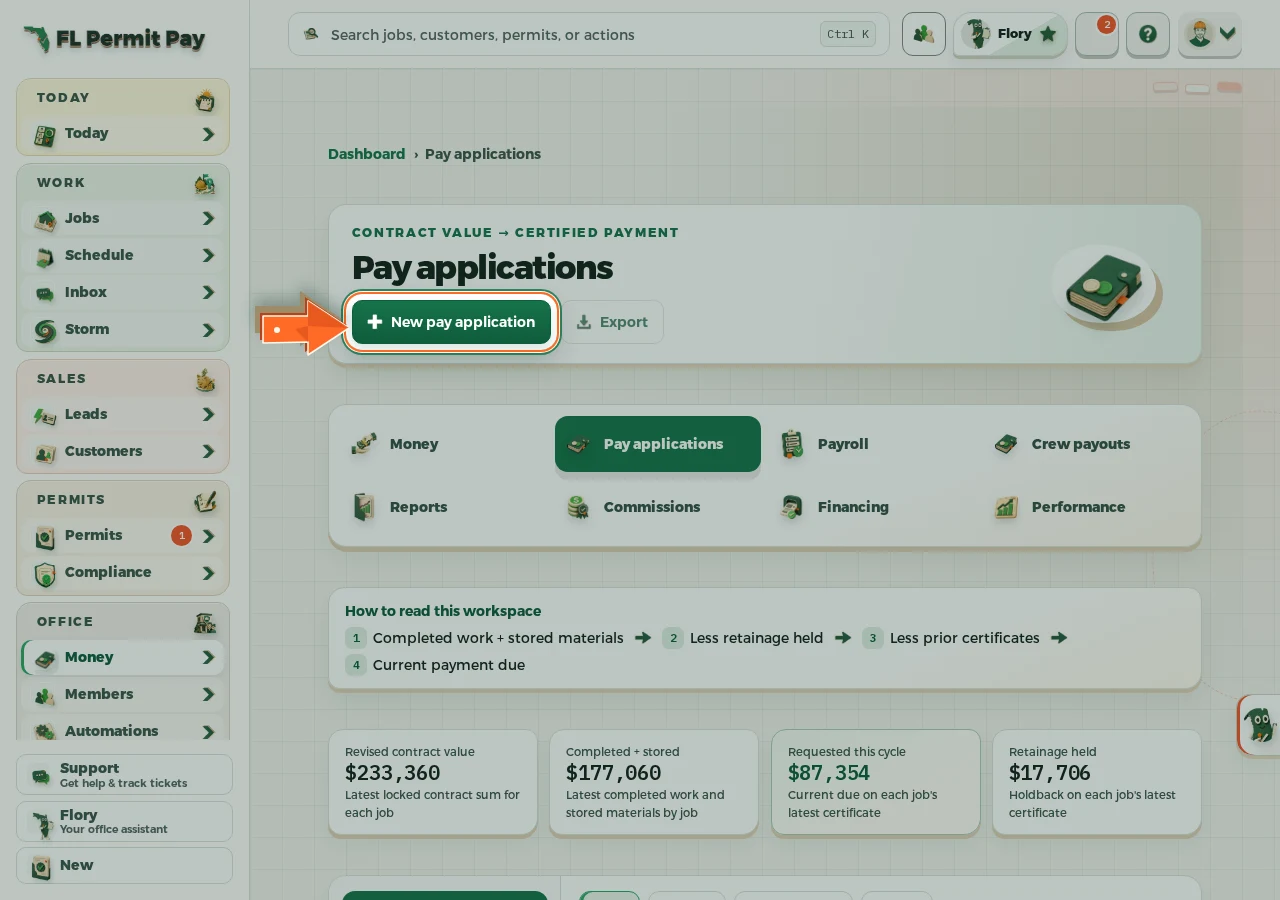
The real screen - the arrow marks the control. Tap to see it full size. - 2
Find the job you are billing
Open it, then use Pay applications on the job page.
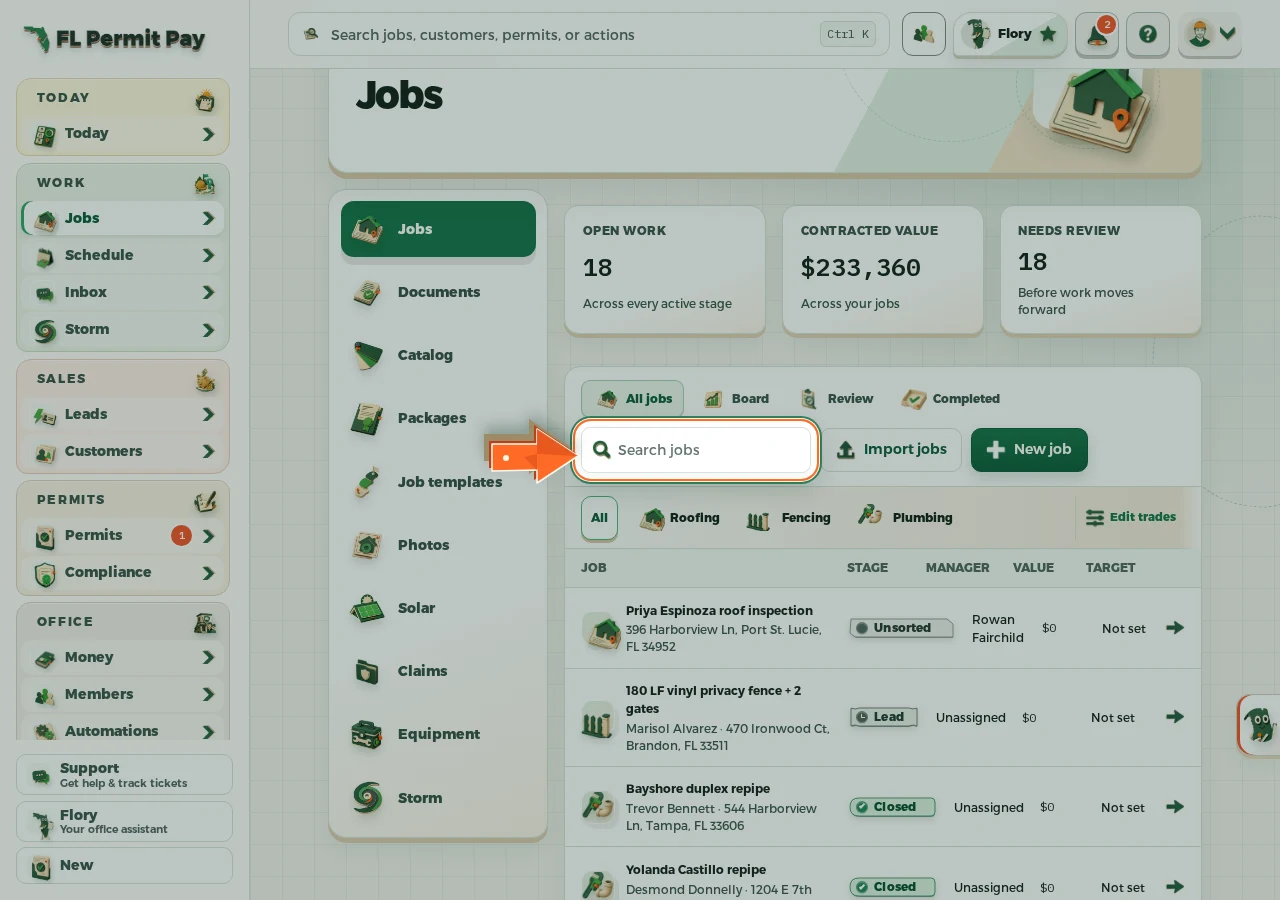
The real screen - the arrow marks the control. Tap to see it full size.
