
 Sign in





Price a proposal from a package and a measurement
5 steps, in the order you do them.

Follow it on screen.
- 1
Open the proposal on the measured job
The package prices off that job's takeoff, so the proposal has to be the one tied to it.
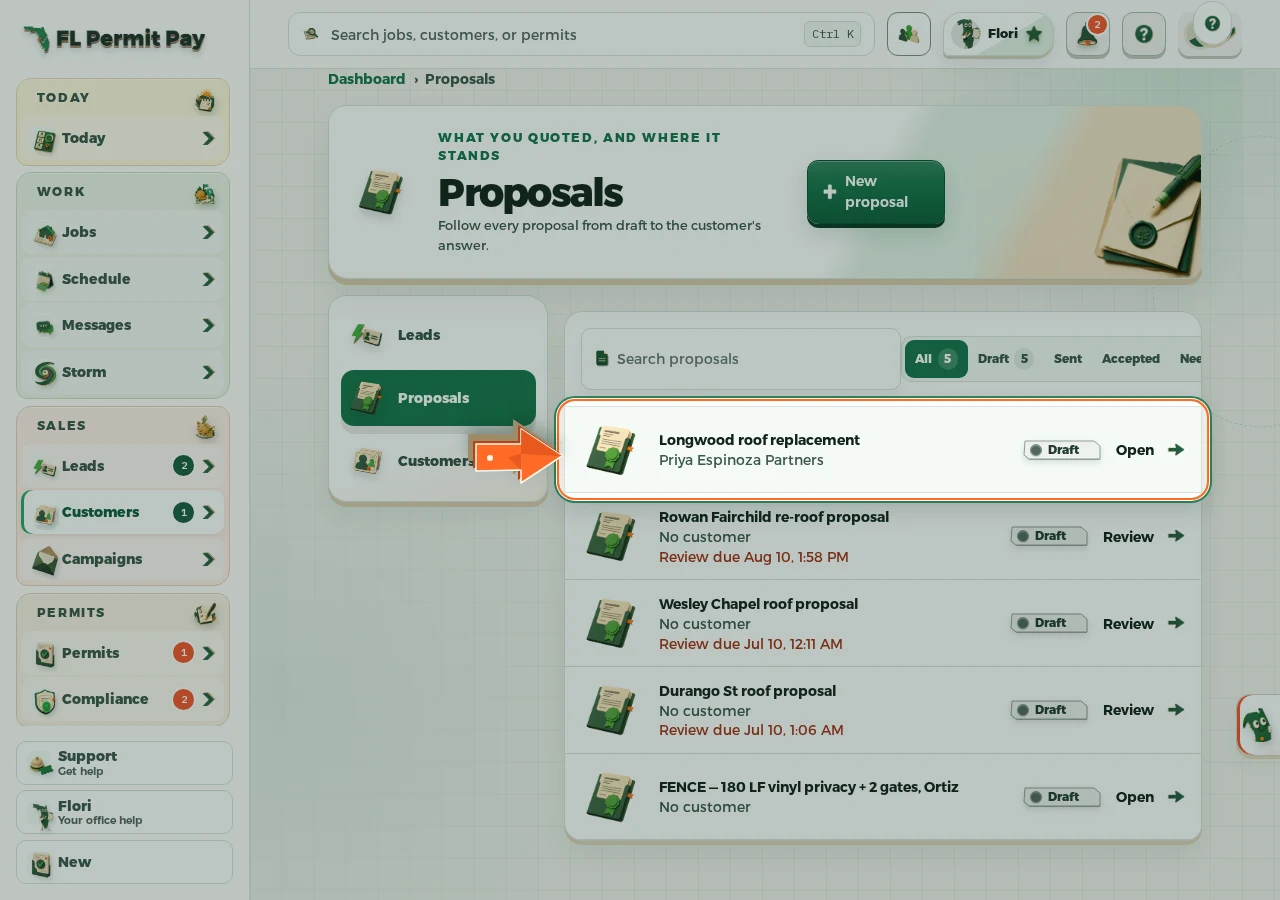
The real screen - the arrow marks the control. Tap to see it full size. - 2
Choose the package to fold in
Everything you put in it at /dashboard/catalog/packages, in one press.
- 3
Choose the measurement it prices off
Squares, edges and penetrations come from here. No measurement, no quantities.
- 4
Set the markup
Cost is what you pay. This is the difference between that and what you sell it for.
- 5
Add it to the option
Every line lands priced, with waste, ready for the customer to read.
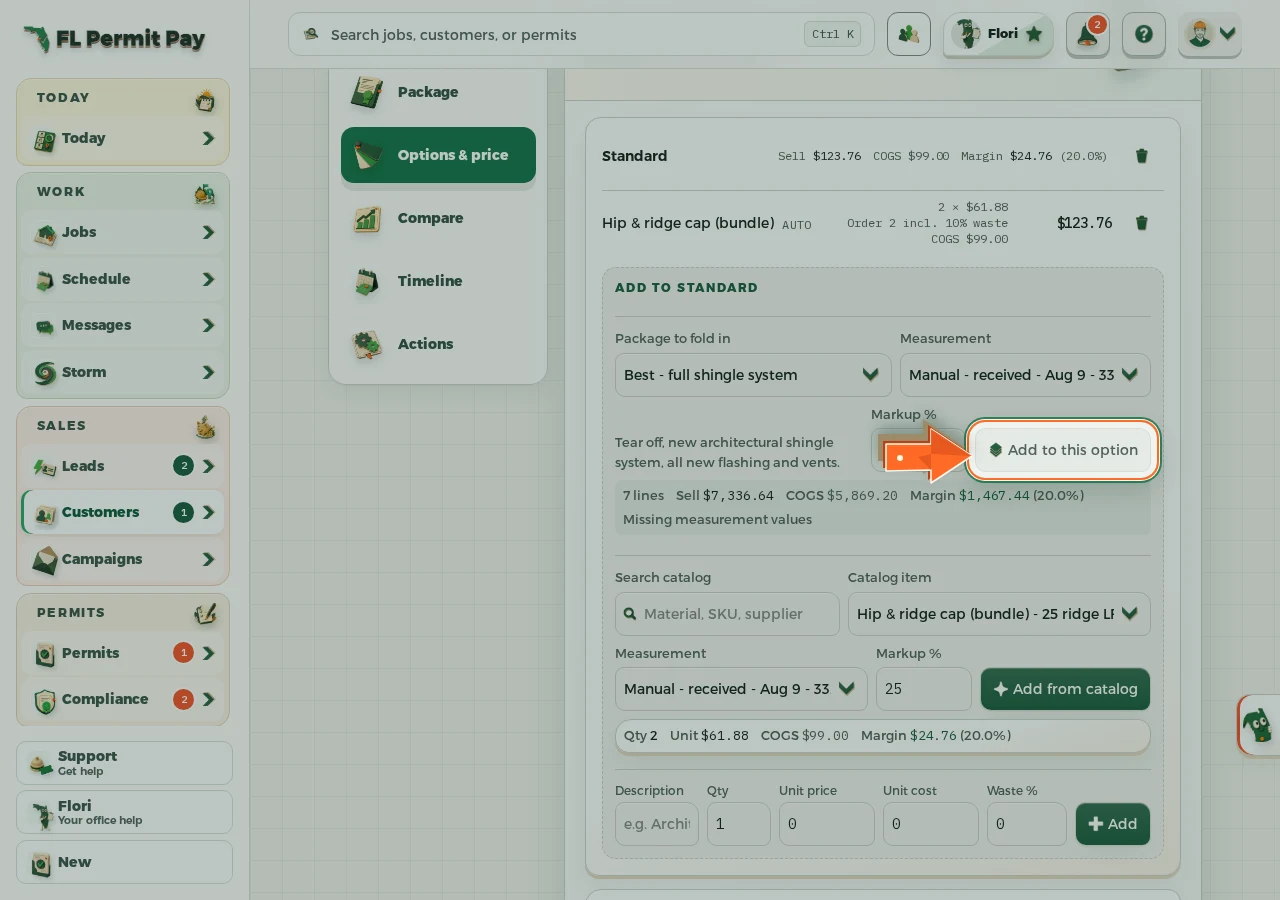
The real screen - the arrow marks the control. Tap to see it full size.
