
 Sign in







Invite a team member
2 steps, in the order you do them.

Follow it on screen.
- 1
Open Invite
Invite by email and pick the role that fits them.
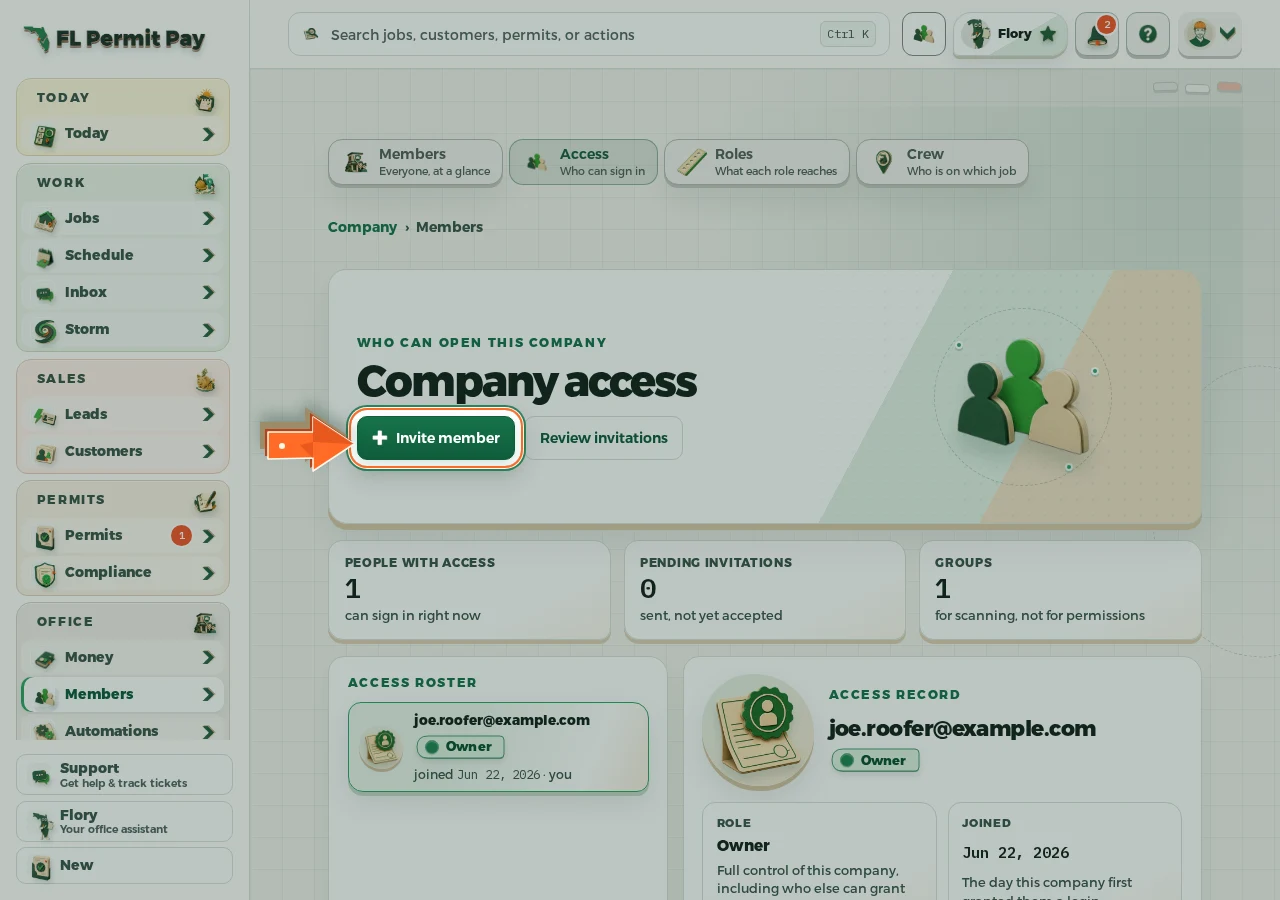
The real screen - the arrow marks the control. Tap to see it full size. - 2
Send the invite
An invite never resets an existing account's password.
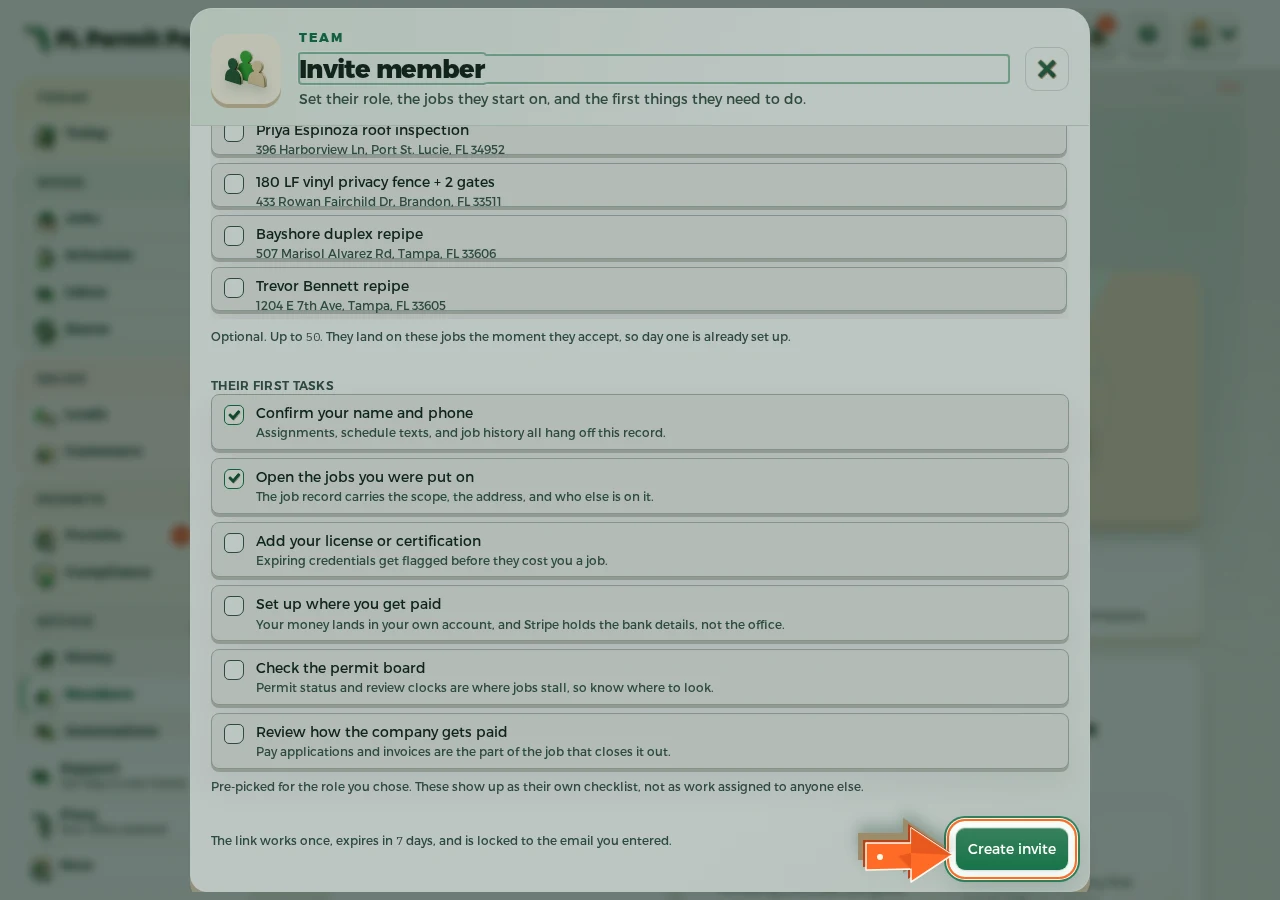
The real screen - the arrow marks the control. Tap to see it full size.
