
 Sign in






Set up your company profile
3 steps, in the order you do them.

Follow it on screen.
- 1
Your profile
Your name and photo sit beside every note you leave.
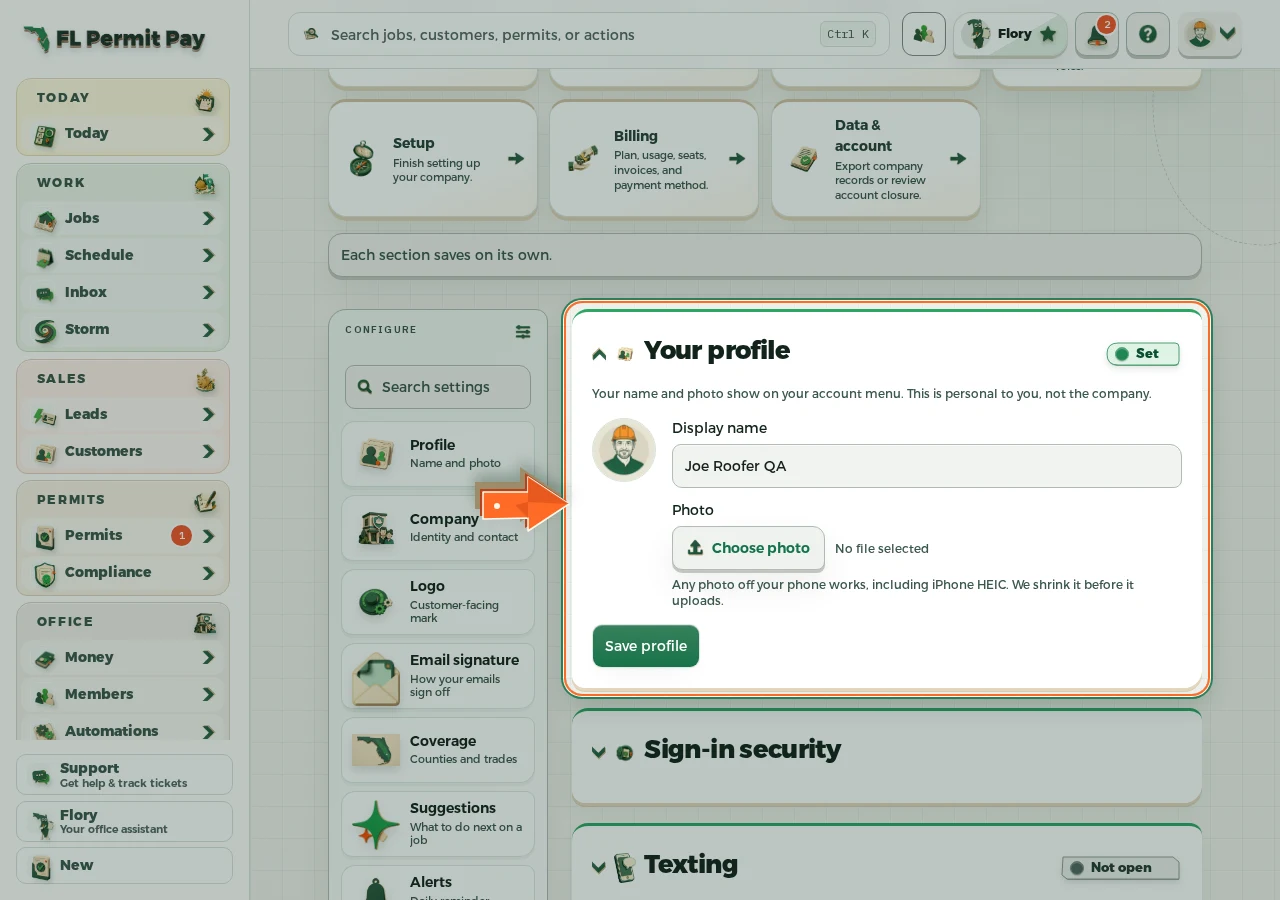
The real screen - the arrow marks the control. Tap to see it full size. - 2
Company details
Your company name and license print on everything you send out.
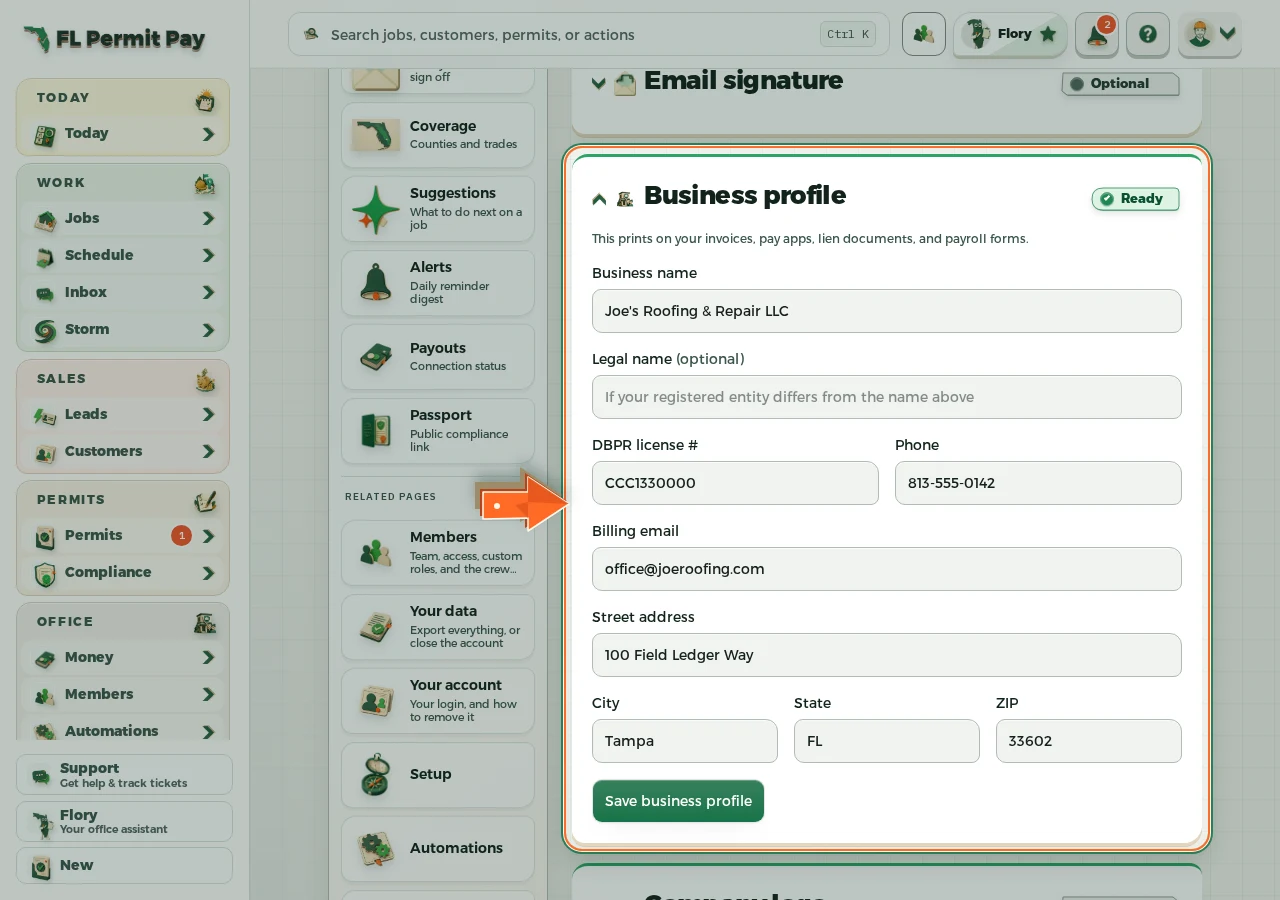
The real screen - the arrow marks the control. Tap to see it full size. - 3
Your logo
Proposals, invoices and the customer portal carry it the moment it is uploaded.
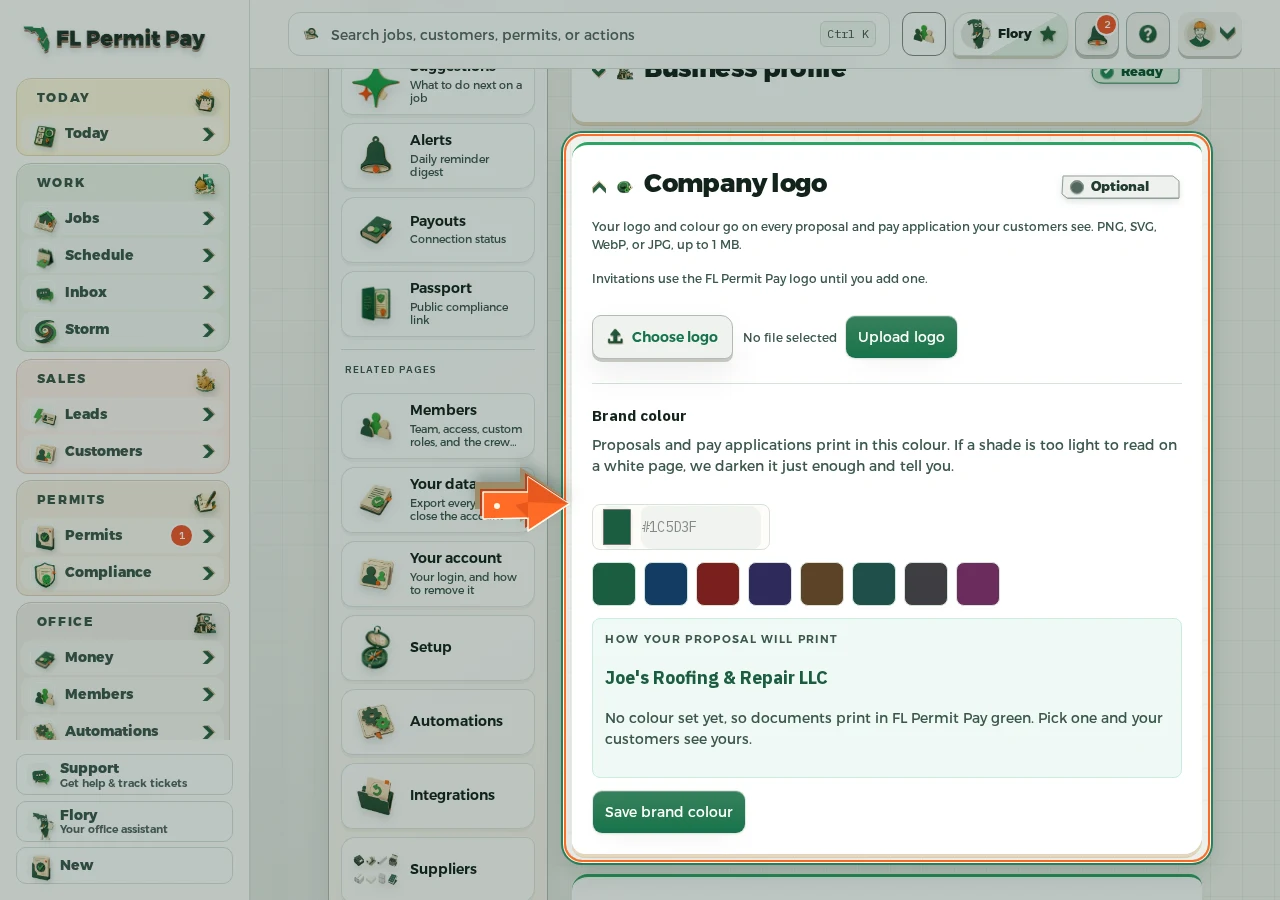
The real screen - the arrow marks the control. Tap to see it full size.
