
 Sign in








Track a permit
4 steps, in the order you do them.
Follow it on screen.
- 1
Open Add permit
Record the authority, the stage, and what the county is waiting on.
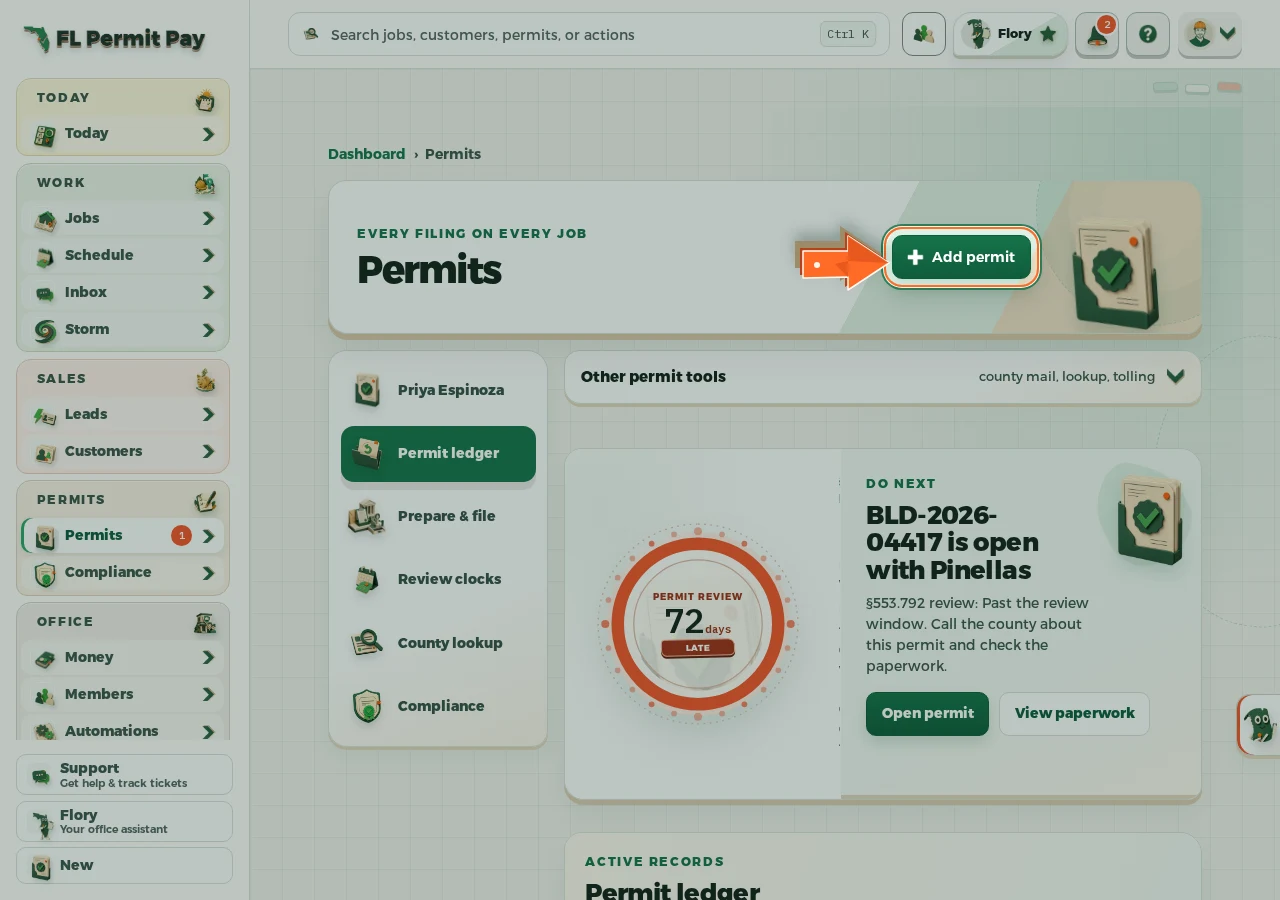
The real screen - the arrow marks the control. Tap to see it full size. - 2
Pick the county
The county is the authority this permit answers to.
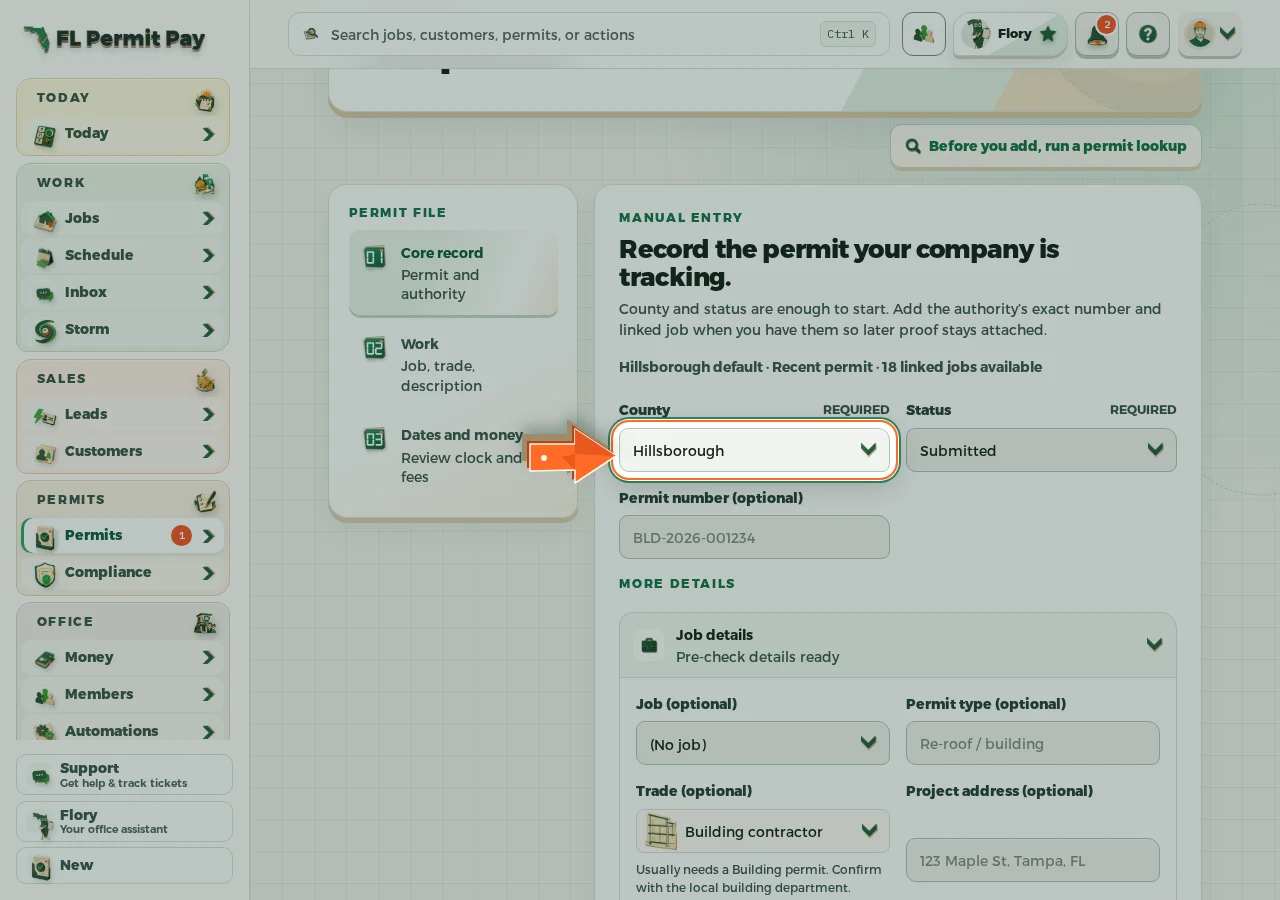
The real screen - the arrow marks the control. Tap to see it full size. - 3
Link the job
The permit then shows up on that job's own page.
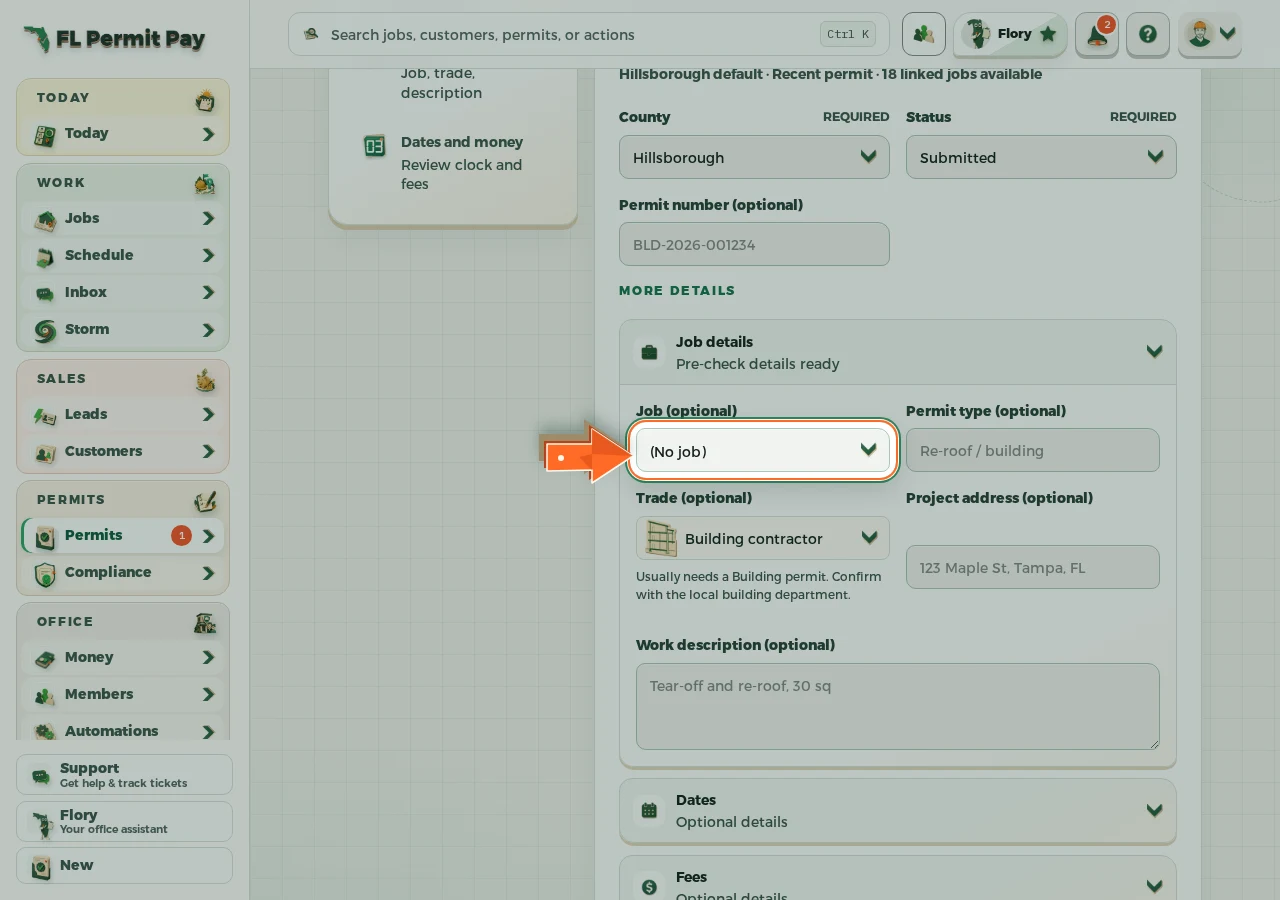
The real screen - the arrow marks the control. Tap to see it full size. - 4
Add the permit
It joins the permit list with its stage and its dates.
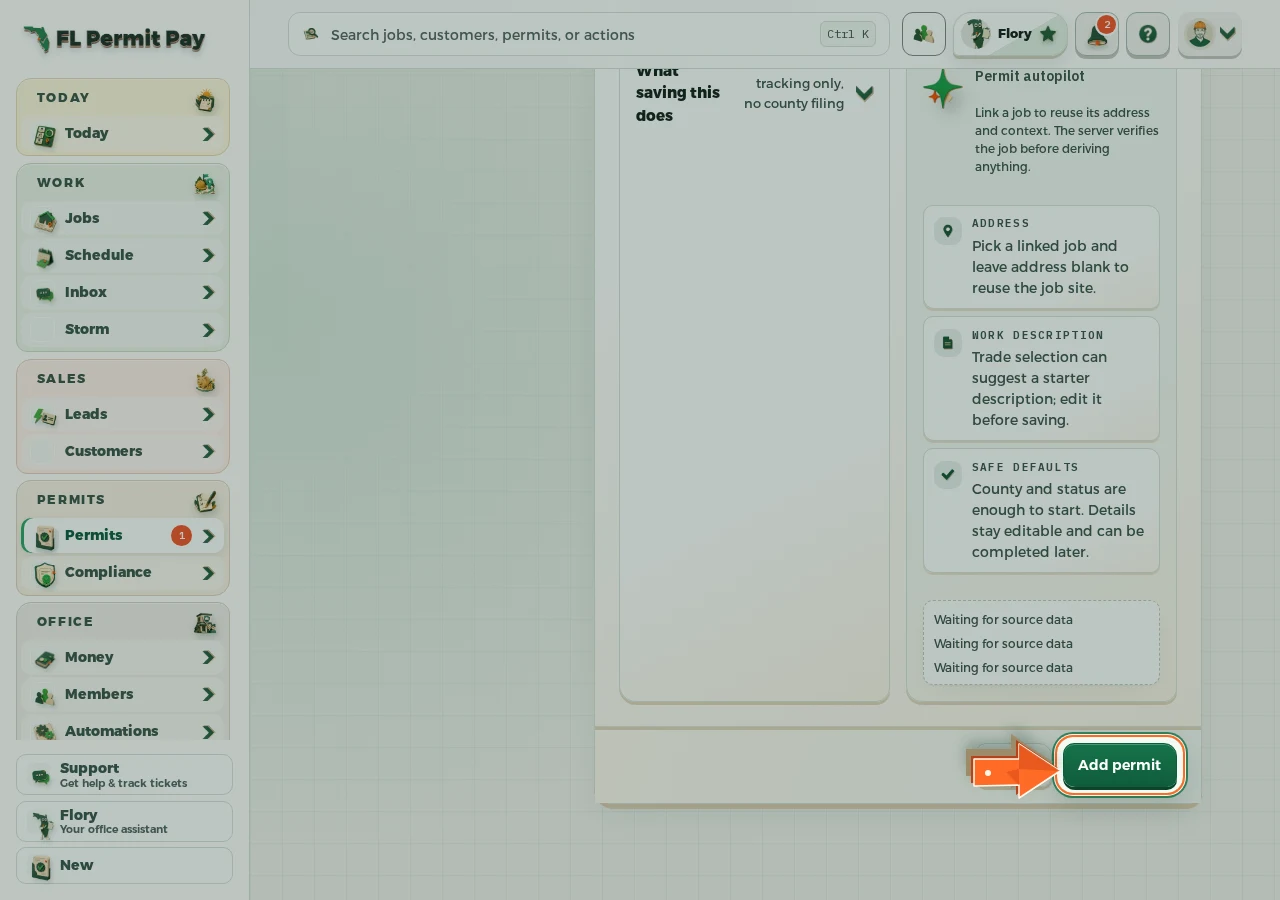
The real screen - the arrow marks the control. Tap to see it full size.
