
 Pricing
 Sign in




Track DBPR licenses, COIs, and renewal dates
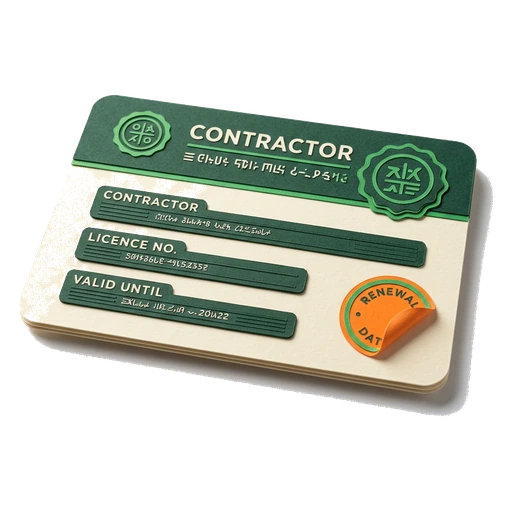
Keep each license, COI, and bond with its expiration date, then see the renewal that needs attention before it lapses. FL Permit Pay reminds your team in the app and by email, while your team completes each renewal with the issuer.
Last updated
What you will do
- Save each credential
- Watch the renewal date
- Review the latest DBPR context

Why a lapsed DBPR license or COI is a job-ending problem, not a paperwork one
- Licenses, COIs, and bonds renew on different clocks and live in different places, so the date nobody owns is the one that slips
- A missed August 31 renewal goes delinquent and can become void under Fla. Stat. 489.116, and a lapsed qualifier license strips the whole company's authorization
- A COI lapses on its policy expiration date and can hold a draw on a GC job
- A license sitting in a folder proves nothing until someone runs it against the state's record
Florida contractor licenses renew on a biennial cycle with an August 31 deadline, and continuing education has to be finished before that date (Fla. Stat. Ch. 489). Licenses, workers' comp and liability COIs, and bonds all renew on different clocks and live in different places: a binder, an agent's portal, the qualifier's head. Whichever date nobody owns is the one that slips.
A missed renewal is not a filing you catch up on quietly. Under Fla. Stat. 489.116, a license that is not renewed at expiration goes delinquent, and if it stays unrenewed through the licensure cycle it becomes void by operation of law. The exact number of days from delinquent to void is set by the cycle, not a fixed grace period, so confirm your status on the state site.
Because a business operates under a qualifying agent (Fla. Stat. 489.119), if the qualifier's license lapses the company loses its authorization to contract. Contracting while unlicensed carries penalties under Fla. Stat. 489.128. A single expired credential can hold a draw, expose a contract, and put the qualifier personally on the hook.
A COI adds a second trap. Coverage stops on the policy's end date, and a lapsed certificate can stall a pay application on a GC job. You usually find out when somebody else's compliance desk runs the number.
How FL Permit Pay keeps your DBPR license and COI from lapsing

- 1
Add each credential and its dates
For each license, COI and bond, write down who issued it and the number. Write down the holder, the state or county, and the start and end dates. Attach the PDF so the document stays with the renewal date.
- 2
Choose when to be reminded
Use the reminder windows we start you with. Or change them for one paper. Give licenses and continuing education enough lead time to finish the renewal before the date.
- 3
Review what needs attention
The Compliance Vault places expired and expiring credentials first and shows how many need review.
- 4
Check reminder readiness
The credential register shows whether reminders are configured and whether the company email and due window are ready. The example makes clear when no email has been sent.
- 5
Confirm the license is actually current, not just on file
License Verification checks your stored license against Florida DBPR's official weekly construction extract and reads the real status pair. It stamps Verified active only when the record is Current and Active. It shows the date it was pulled, so the credential is backed by the state and not just typed in.
What is grounded, and where we hedge

- Florida construction licensing is governed by Fla. Stat. Ch. 489. Licenses renew every two years, by August 31, and you owe 14 hours of class time each cycle (Fla. Stat. 489.115). Which year yours falls in depends on your license type and is set by board rule, so check it on MyFloridaLicense. The Vault reminds you off the end date you type in.
- The stamp is built on DBPR's official weekly public-records extract. It is not a live lookup, and every stamp shows the date it was pulled. DBPR publishes no official feed, and no link that opens one license. So we send you to the state's search page to confirm.
- DBPR's file excludes lapsed, void, and delinquent licenses, so a license that is not found is shown as could not verify (it may be lapsed), never a green stamp. Green appears only on Current and Active.
- FL Permit Pay tracks the dates you enter and notifies you. It does not renew credentials for you and it never asserts a specific DBPR licensing rule. This is not legal advice; confirm status and deadlines on the state site.
Common questions
When does a Florida DBPR contractor license expire?

Florida contractor licenses renew every two years, by August 31, under Fla. Stat. Ch. 489. Your classes have to be done before that date. Whether you renew in an even or an odd year depends on your license type and is set by DBPR board rule, so check yours on MyFloridaLicense. We remind you off the end date you type in for that license.
What happens if my DBPR license lapses in Florida?
First the state marks it late. Then the license is void (Fla. Stat. 489.116). While it is lapsed you cannot legally contract (penalties under 489.128), and a lapsed qualifier strips the whole company (489.119). Confirm your status on the state site.
Does the software renew my license for me?
No. FL Permit Pay is a reminder and tracking system. It holds each license, COI and bond with its end date, and warns you in the app and by email before it lapses. You still renew on MyFloridaLicense. It tracks the dates you enter and never asserts a specific DBPR rule.
Can it confirm my license is actually active, or just remind me of the date?
Both. It checks DBPR's official weekly extract and stamps Verified active with the date pulled. Weekly, not real-time. Confirm on the state site before you rely on it.
Put the guide to work.
Load your licenses, COIs and bonds into the Compliance Vault once. Then the reminders and the DBPR check watch the dates from there.