
 Pricing
 Sign in






AIA G702 and G703 pay applications from field progress
Bring this period's progress into the schedule of values. Read the retainage and the current payment due, then download the pay application. FL Permit Pay builds an AIA-style G702 summary and G703 continuation sheet on its own template. It is not the official AIA form.
Last updated
What you will do
- Set the schedule of values
- Check the work done and the retainage
- Get this month's pay app ready

Why a G702/G703 tool beats a spreadsheet in Florida
- Hand-built G702/G703 pay apps get kicked back when a retainage line is wrong or the schedule of values does not sum
- A plain invoicing tool does not know the Florida rules. Florida caps retainage at 5% on public work, and private work is whatever your contract says
- Work you finished and stored sits with no bill on it, because nobody got to the pay application
- Billed draws age 45 days in silence while you float payroll against them
Florida does not name one form for pay apps. On commercial and GC work, almost everyone uses the AIA G702 summary. The G703 sheet goes with it (Fla. Stat. Ch. 713 governs the lien rights behind it, not the form). Build both by hand each month and you lose billing cycles. One retainage line off, or a schedule of values that does not add up, and the GC sends the whole thing back.
The math is unforgiving. G702 Line 4, Total Completed and Stored to Date, has to equal the G703 Column G grand total. If it does not, the application usually comes back. Line 8, Current Payment Due, is worked out against what was already certified, so one bad figure rolls forward. Software that holds those rules stops the reject loop.
Retainage is where Florida jobs go wrong. On private work it is contract-driven with no statutory cap; on state public work it is capped at 5% under Fla. Stat. § 255.078 on contracts over $200,000; on local public work it is 5% under § 218.735 on contracts over $200,000. Check conflicting federal funding rules, FDOT contracts under Ch. 337, and older contracts covered by pre-October 2020 rules. A generic invoicing tool does not know which regime your job sits in.
And the money still has to arrive. Turning the finished, stored work into a pay application is only half the job. The other half is collecting it before you float another payroll against a draw you forgot to chase.
How FL Permit Pay builds and reviews a G702/G703

- 1
Roll field progress into the schedule of values
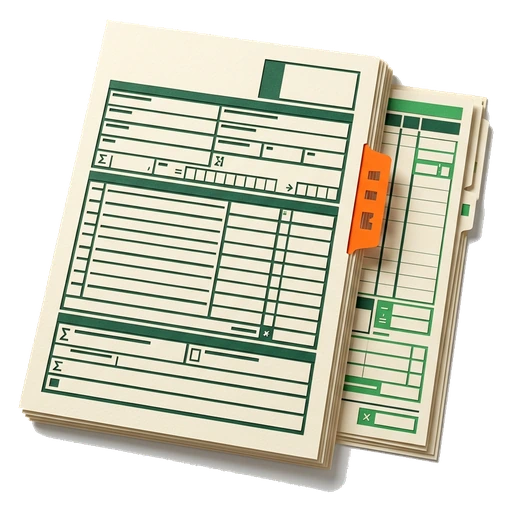
Your schedule of values and the percent complete you captured in the field roll up into a G702/G703 pay application. It comes in the AIA-style format GCs already expect. Each G703 line carries the scheduled value, the work from earlier applications, this period, and the materials stored. Total Completed and Stored is their sum.
- 2
Check the totals
Read the contract sum to date. Read the finished and stored work, the retainage, the past certificates, and what is due now. Before you download, make sure the G702 total agrees with the G703 schedule of values.
- 3
Check every line before you send
Compare the scheduled value with the work done this period. Compare the stored materials, the total completed, and what is left to finish. If the schedule and the summary disagree, fix the locked record before you use its totals.
- 4
Build the PDF
Download the pay application on FL Permit Pay's own template. The project details, the continuation sheet, the retainage and the current payment due all come together. It follows the familiar G702/G703 structure. It does not copy the AIA form, which is under copyright.
- 5
Export reviewed totals when accounting needs them
Once the schedule and the summary agree, you can export to your books. Only export the record you checked. The button does not replace your own review.
- 6
Return to the job record
Use the job link to keep the pay application with the work it bills. That gives the reviewer the customer, scope, and project context before the next follow-up.
Compliance and money-handling

- Retainage cautions are traceable to statute: private work is contract-driven and not capped (Fla. Stat. § 715.12), state public work caps at 5% (§ 255.078, which does not apply to contracts costing $200,000 or less), and local public work caps at 5% on contracts over $200,000 (§ 218.735). These are decision support, not legal advice, so confirm your project type and eligibility. Check conflicting federal funding rules, FDOT contracts under Ch. 337, and older contracts covered by pre-October 2020 rules.
- Before you download, FL Permit Pay checks that G702 Line 4 equals the G703 Column G total. It also works out current payment due against what was certified before.
- FL Permit Pay computes the G702/G703 math on its own template rather than reproducing the copyrighted AIA forms; it is AIA-style, not an official AIA document.
- Online payment depends on your account being turned on. When it is on, the money settles into your own connected account. FL Permit Pay does not lend money, advance it, or factor it.
Common questions
Does FL Permit Pay use the official AIA G702 and G703 forms?

It builds G702/G703 pay applications on our own template. The math is the same: the schedule of values, work done and stored, retainage, and what is due now. It does not reproduce the copyrighted AIA form layout, which would require AIA licensing; the arithmetic and structure GCs expect are preserved.
How much retainage can I withhold on a Florida pay application?
It depends on project type. Private Florida work is contract-driven with no statutory cap (Fla. Stat. § 715.12); state public work caps at 5% under § 255.078 (which does not apply to contracts costing $200,000 or less); local public work caps at 5% under § 218.735 on contracts over $200,000. The software flags retainage above the applicable cap as a caution. This is not legal advice, so confirm the governing rule for your job. Check conflicting federal funding rules, FDOT contracts under Ch. 337, and older contracts covered by pre-October 2020 rules.
Why does my G702 keep getting rejected by the GC?
The most common cause is the math. G702 Line 4, Total Completed and Stored, has to equal the G703 Column G grand total. Current Payment Due is worked out against what was certified before. FL Permit Pay checks those totals and flags over-billed lines before you send.
Can I collect the pay application online in Florida?
When online payment is active for your account, the GC or owner can pay by ACH or card on a hosted page and the money settles into your connected bank account. Check the availability shown in your account before offering it.
Put the guide to work.
Turn this month's field progress into a G702/G703 pay application in your first session, and the cash that follows it. See Get Paid Faster and Today's list.