
 Pricing
 Sign in








Email your whole customer list
7 steps, in the order you do them.
Follow it on screen.
- 1
Start the campaign
One email to your whole customer list - a new service, a seasonal reminder, a storm follow-up.
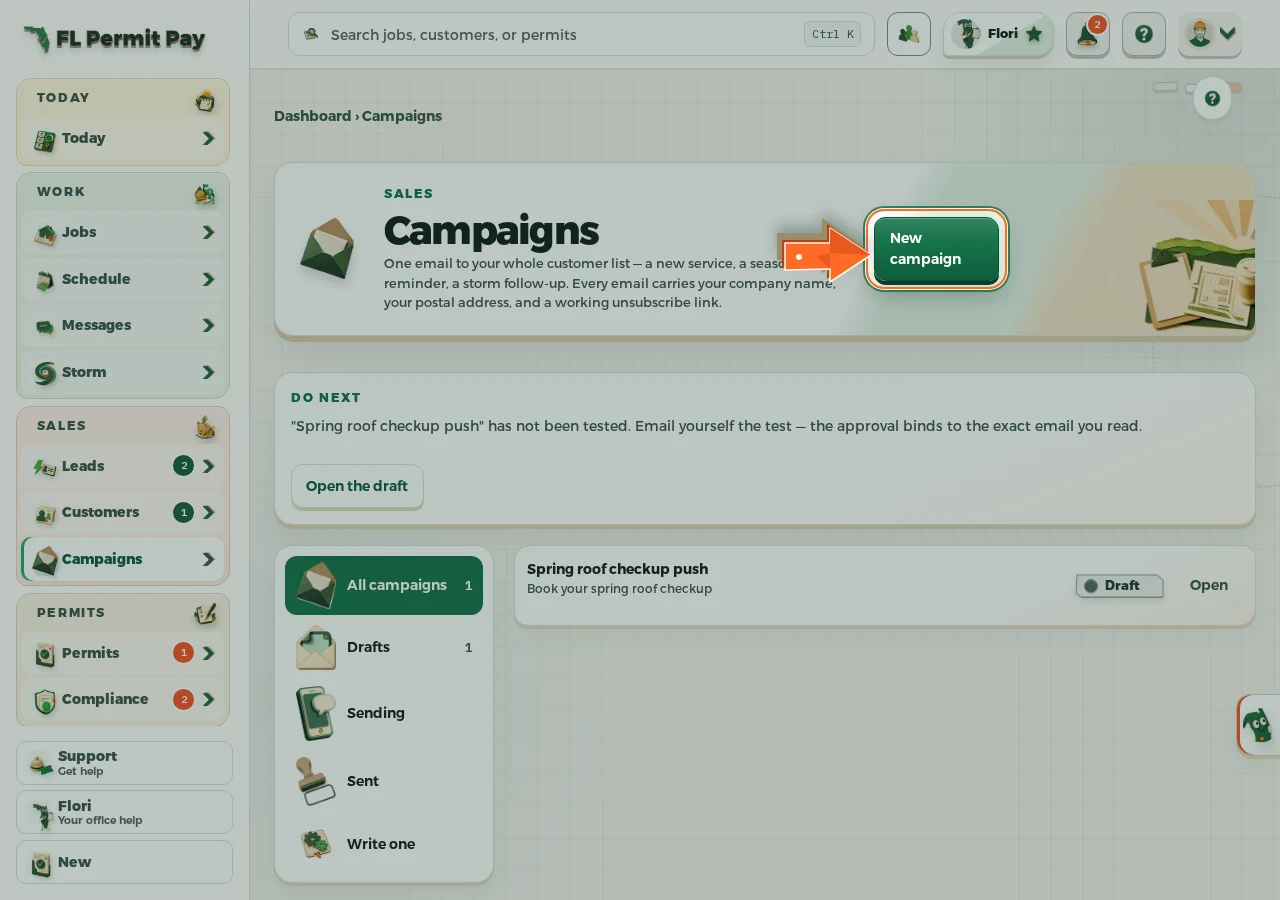
The real screen - the arrow marks the control. Tap to see it full size. - 2
Write the subject line
The one line every customer sees before they decide to open it.
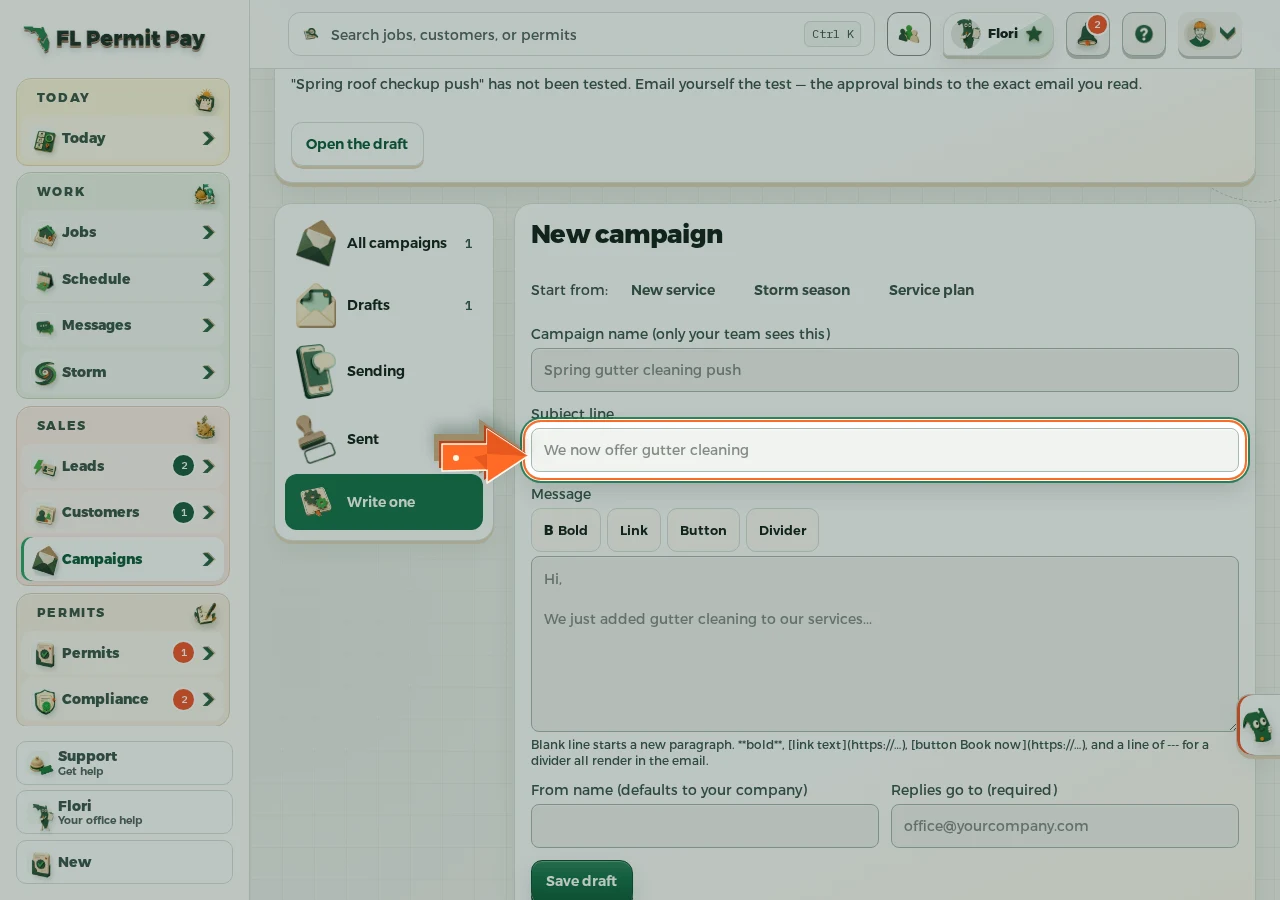
The real screen - the arrow marks the control. Tap to see it full size. - 3
Write the message
Plain words; the toolbar adds bold, links, buttons and dividers that render in the email.
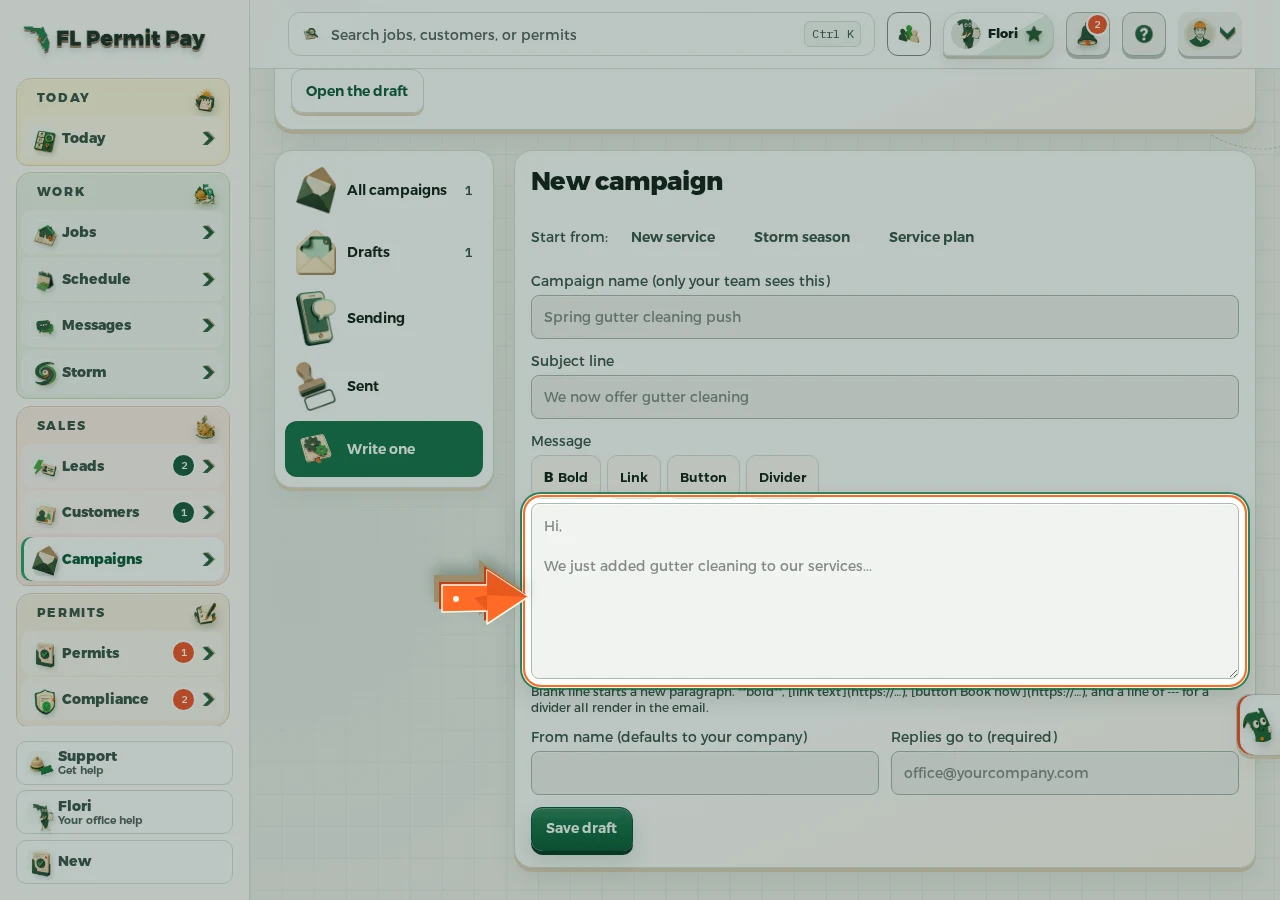
The real screen - the arrow marks the control. Tap to see it full size. - 4
Save the draft
It stays a draft until you approve the exact email you tested.
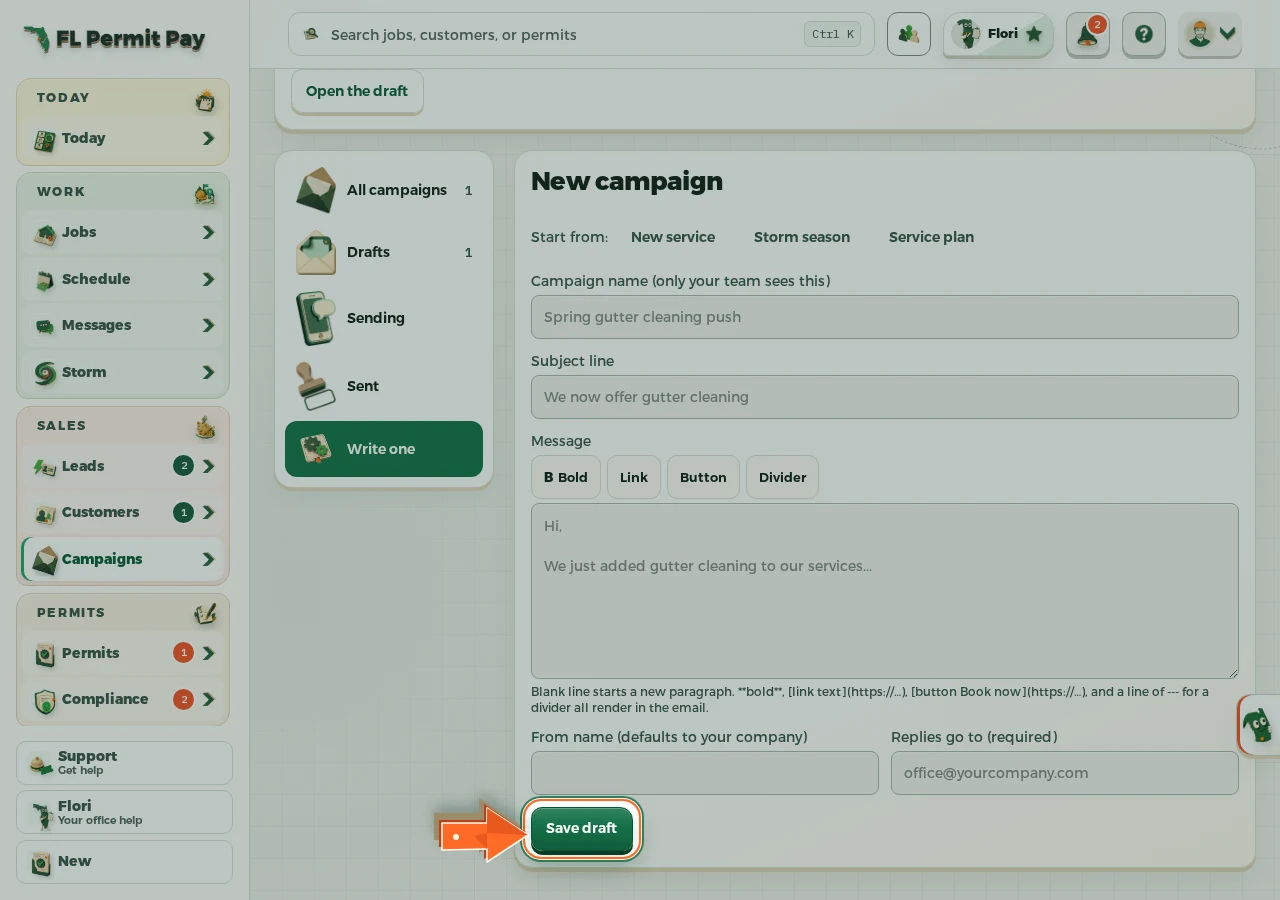
The real screen - the arrow marks the control. Tap to see it full size. - 5
Build the audience
Everyone with an email address, minus anyone unsubscribed - counted before you send.
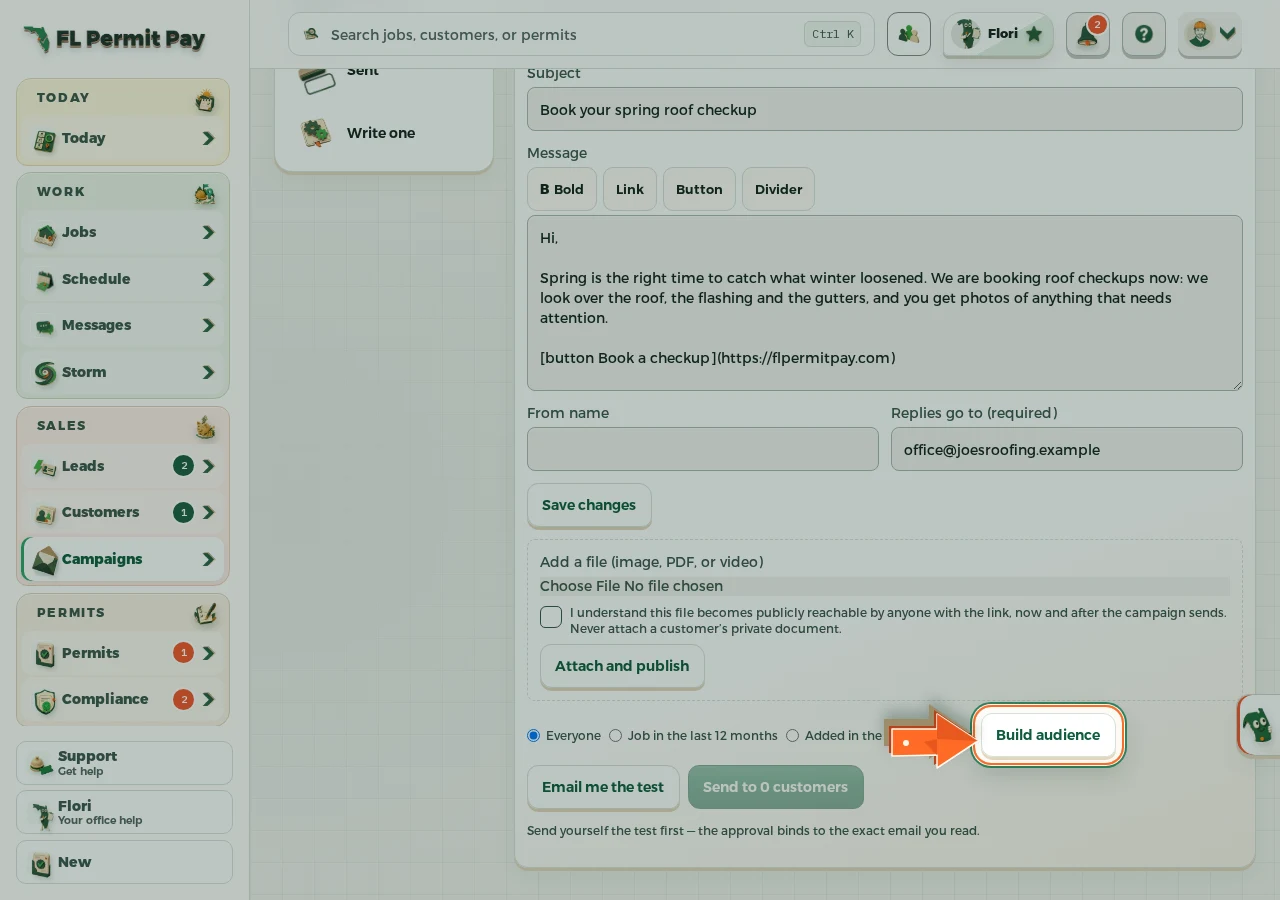
The real screen - the arrow marks the control. Tap to see it full size. - 6
Email yourself the test
Read it in your own inbox; the approval binds to the exact email you read.
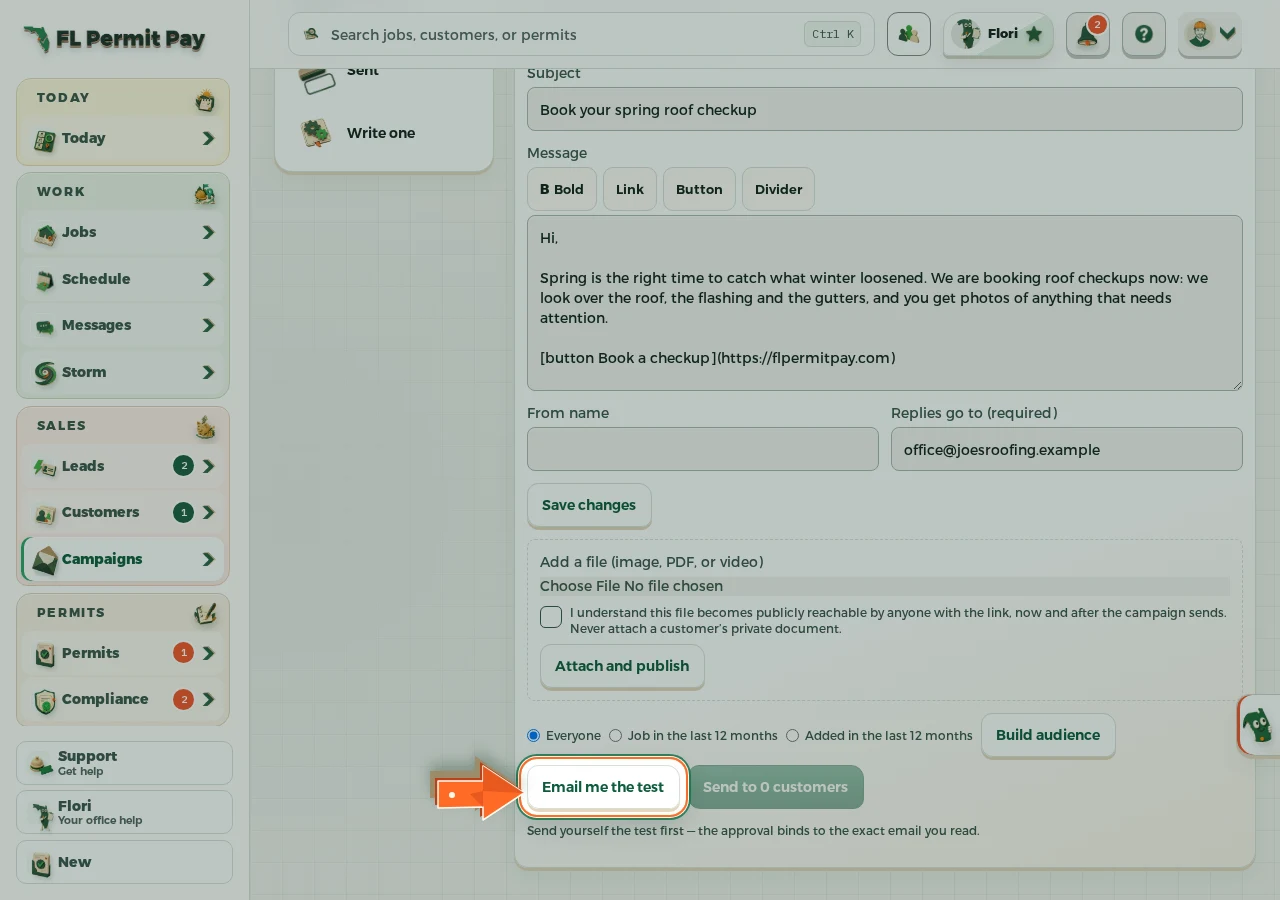
The real screen - the arrow marks the control. Tap to see it full size. - 7
Approve the send
The button says who it is going to; sending is paced and unsubscribes are automatic.
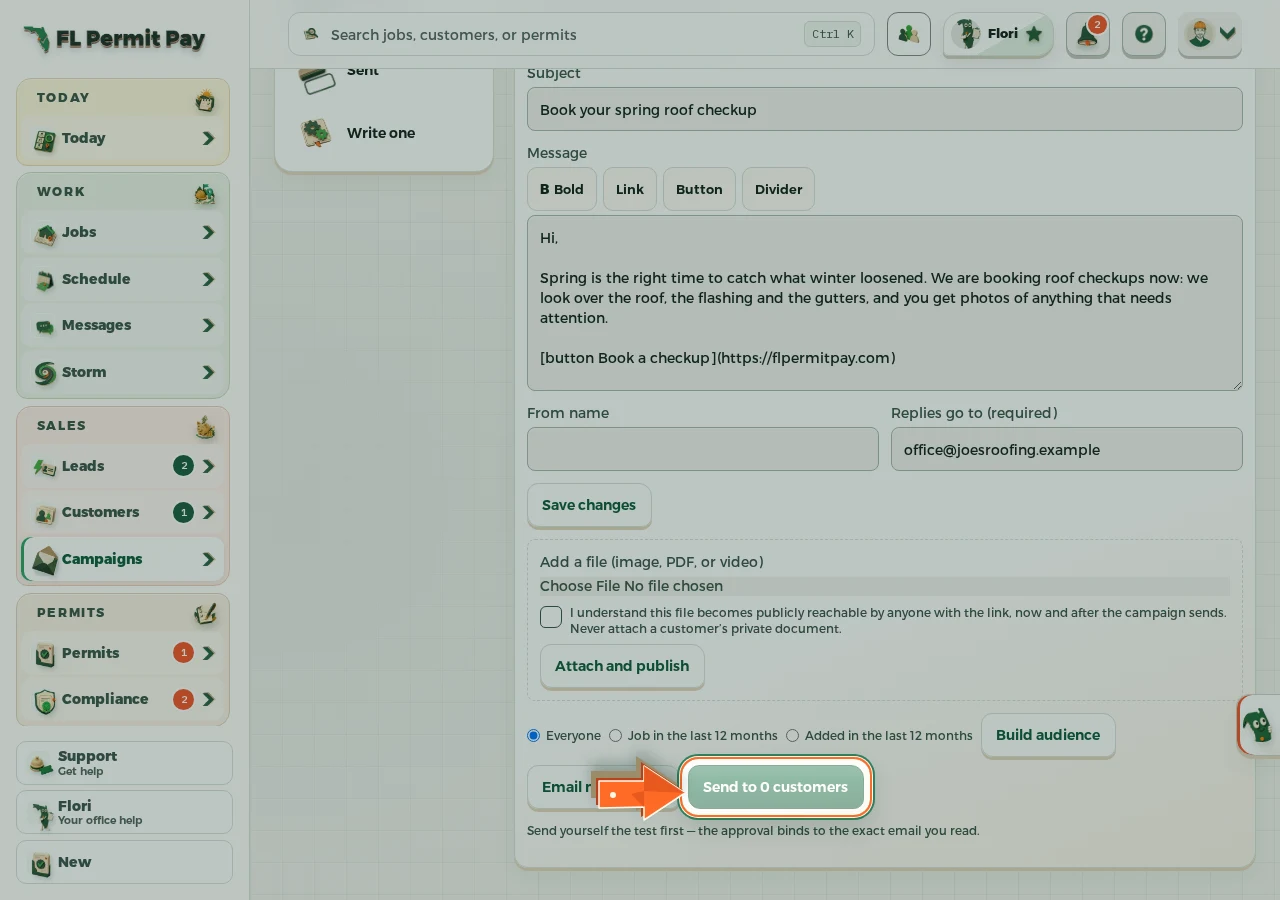
The real screen - the arrow marks the control. Tap to see it full size.
